


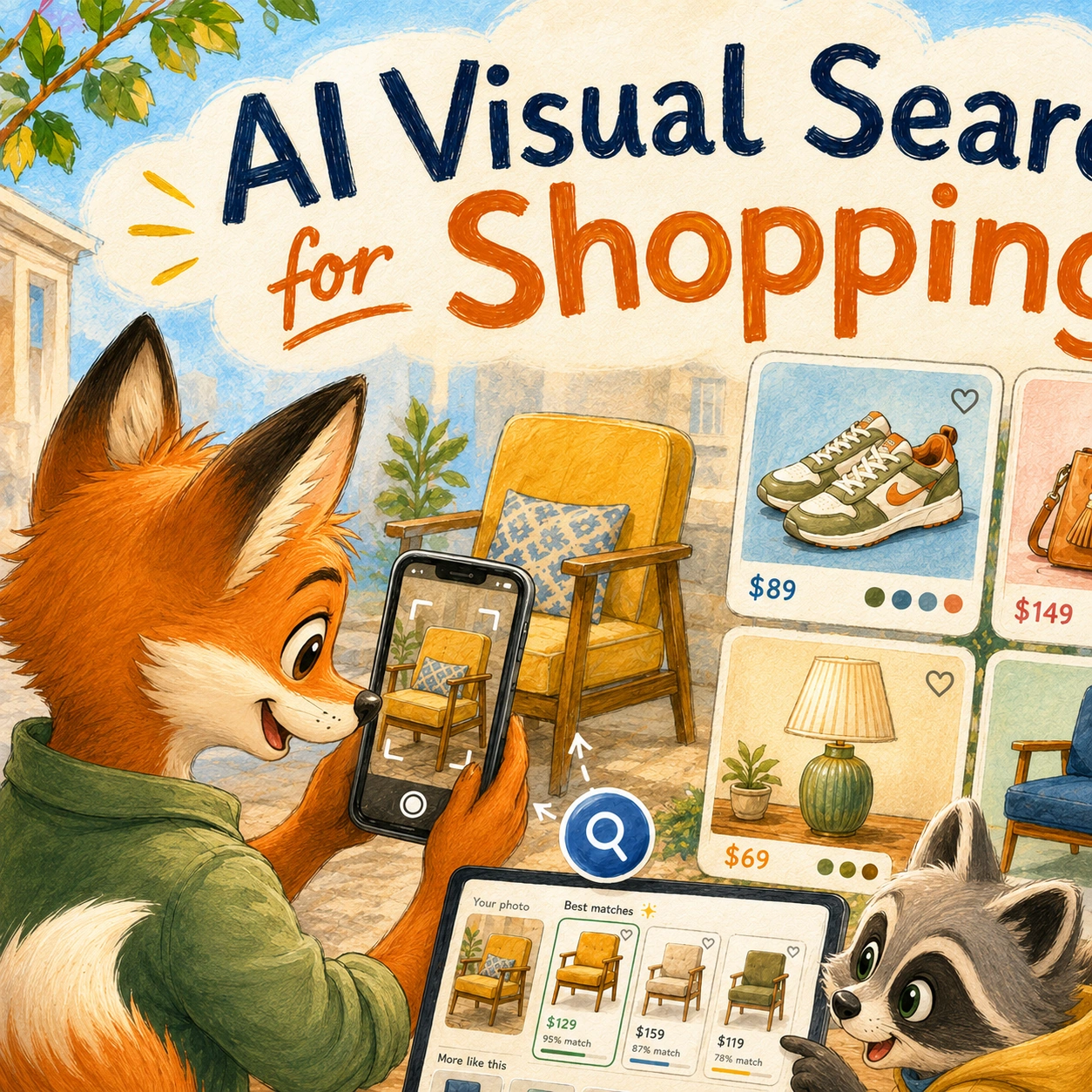
Shopping often begins with a picture before it begins with a search. You may spot a jacket in a social-media post, a lamp in a hotel room, a chair in a friend’s photo, or a pair of sneakers while watching a video. You know what you like, but you may not know the brand, product name, store, or even the right words to describe it.
That is where AI visual search for shopping becomes useful. Instead of starting with a keyword, shoppers can upload an image, take a photo, use a screenshot, or point a camera at an item. The system then analyzes visual details such as shape, color, pattern, materials, style, and category to identify the product or suggest similar alternatives.
For example, someone may see a green velvet accent chair in a Pinterest image and ask: “Find a chair like this under $400.” Another shopper may take a screenshot of a handbag, then look for a similar design in a different color or at a lower price. A parent may photograph a backpack and search for a comparable version with better reviews. In each case, the shopper starts with what they can see rather than trying to guess the perfect product keyword.
Visual search is changing the traditional shopping process. A normal search box requires shoppers to translate an idea into words. That can be difficult when they do not know the correct product category, technical name, style label, or brand. AI visual search gives them another route: show the system what you mean, then refine the results with details such as budget, size, color, delivery deadline, material, or preferred retailer.
Google Lens is one widely used example. Google explains that shoppers can use visual search to identify products, explore shopping inspiration, and combine images with text to narrow what they are looking for. Google’s overview of visual shopping with Lens shows how a photo can become the starting point for finding product information, similar items, and more specific shopping results.
AI visual search can be especially helpful in categories where appearance matters as much as specifications. Fashion, shoes, accessories, furniture, home decor, beauty products, toys, art, and travel items are often easier to recognize visually than to describe in a search bar. Someone may know they want “something like this,” but not know whether the style is called mid-century modern, coastal, minimalist, retro, oversized, crossbody, platform, or another product label used by retailers.
However, visual search is not only about finding exact matches. In many cases, the original product may be unavailable, too expensive, sold by an unfamiliar seller, or no longer in stock. A strong AI shopping tool can use the image as a starting point, then help the shopper compare similar products based on price, reviews, availability, size, materials, and delivery options.
For example, a shopper may upload a photo of a designer-style sofa and ask for alternatives under $1,000. The assistant may not find the exact product, but it can identify similar silhouettes, colors, fabric types, and dimensions. The shopper can then decide whether they care most about appearance, comfort, durability, delivery speed, or cost.
This makes visual search different from a basic reverse-image lookup. A useful shopping-focused tool should help people move from an image to a practical buying decision. It should not only show visually similar items. It should also help explain the differences between them, identify relevant product details, and make it easier to compare options before checkout.
At the same time, shoppers should understand the limits. A photo does not always show dimensions, fabric quality, durability, fit, compatibility, or whether a product is actually available. Two items can look almost identical while having very different materials, construction, return policies, and customer reviews. Visual search can speed up discovery, but it should not replace checking the official product page before buying.
AI visual search is closely connected to the wider shift toward more conversational product discovery. Instead of forcing shoppers to begin with a product name or exact keyword, modern shopping tools can combine images, text, questions, and follow-up requests to help people find what they actually want. For a broader explanation of this shift, see our guide to AI search for ecommerce.
In this guide, we explain how AI visual search works, what shoppers can find from a photo, where it is most useful, how it compares with traditional product search, what accuracy limits still matter, and how visual shopping may change the way people discover products online.
Quick Overview: What Is AI Visual Search for Shopping?
AI visual search for shopping helps people find products by using an image instead of starting with a keyword. A shopper can upload a photo, take a picture, use a screenshot, or select an item visible on a screen. The tool then looks for an exact match, identifies the product category, or suggests visually similar alternatives.
This is useful when someone knows what they want visually but cannot describe it precisely. A person may see a pair of shoes, a coffee table, a handbag, a lamp, or a jacket and have no idea what the item is called, where it is sold, or which search filters would help find it.
Visual search can turn that image into a more practical shopping journey. After uploading the picture, shoppers can usually refine the results with questions about price, color, size, material, delivery time, retailer, or product category.
| What the Shopper Does | What AI Visual Search Can Do | Example |
|---|---|---|
| Uploads a photo | Identifies visible objects, product categories, colors, shapes, and style details. | Upload a photo of a chair to find similar furniture. |
| Uses a screenshot | Searches for products shown in social-media posts, videos, blogs, or online images. | Screenshot a handbag from Instagram and look for similar options. |
| Selects an item on screen | Focuses the search on one visible product instead of the full image. | Select a pair of sneakers in a video and search for similar styles. |
| Combines image and text | Uses follow-up details to make results more relevant. | “Find a sofa like this in dark green under $1,000.” |
| Looks for an exact match | Attempts to identify the same product, brand, retailer, or listing. | Find the exact lamp shown in a hotel-room photo. |
| Looks for similar products | Suggests alternatives with related colors, shapes, styles, or materials. | Find a lower-cost version of a designer-style dining chair. |
| Refines by practical needs | Helps compare visual matches by price, delivery, reviews, size, or availability. | “Show similar backpacks that can arrive before Friday.” |
Google describes visual shopping with Lens as a way to use photos and images to find products, view information such as prices, deals, reviews, and places to buy, and refine a search by combining an image with text. Google’s guide to visual shopping with Lens shows how visual search can help people move from “I like this” to a more specific shopping request.
The biggest advantage is that shoppers do not need to know the exact product name before they begin. They can start with something they see, then gradually narrow the results until they find an item that fits their budget, style, delivery needs, and product requirements.
However, visual similarity is not the same as product quality or suitability. Two products may look nearly identical while having different dimensions, materials, durability, reviews, warranty terms, or return policies. Visual search is best used for discovery first, followed by normal product comparison before checkout.
In the next section, we look at how AI visual search works behind the scenes, from identifying objects in an image to matching them with product catalogs and refining the results through follow-up questions.
How AI Visual Search Works
AI visual search turns an image into a shopping query. Instead of relying only on product names or keywords, the system analyzes what it can see in a photo, screenshot, or camera view and looks for products that appear to match.
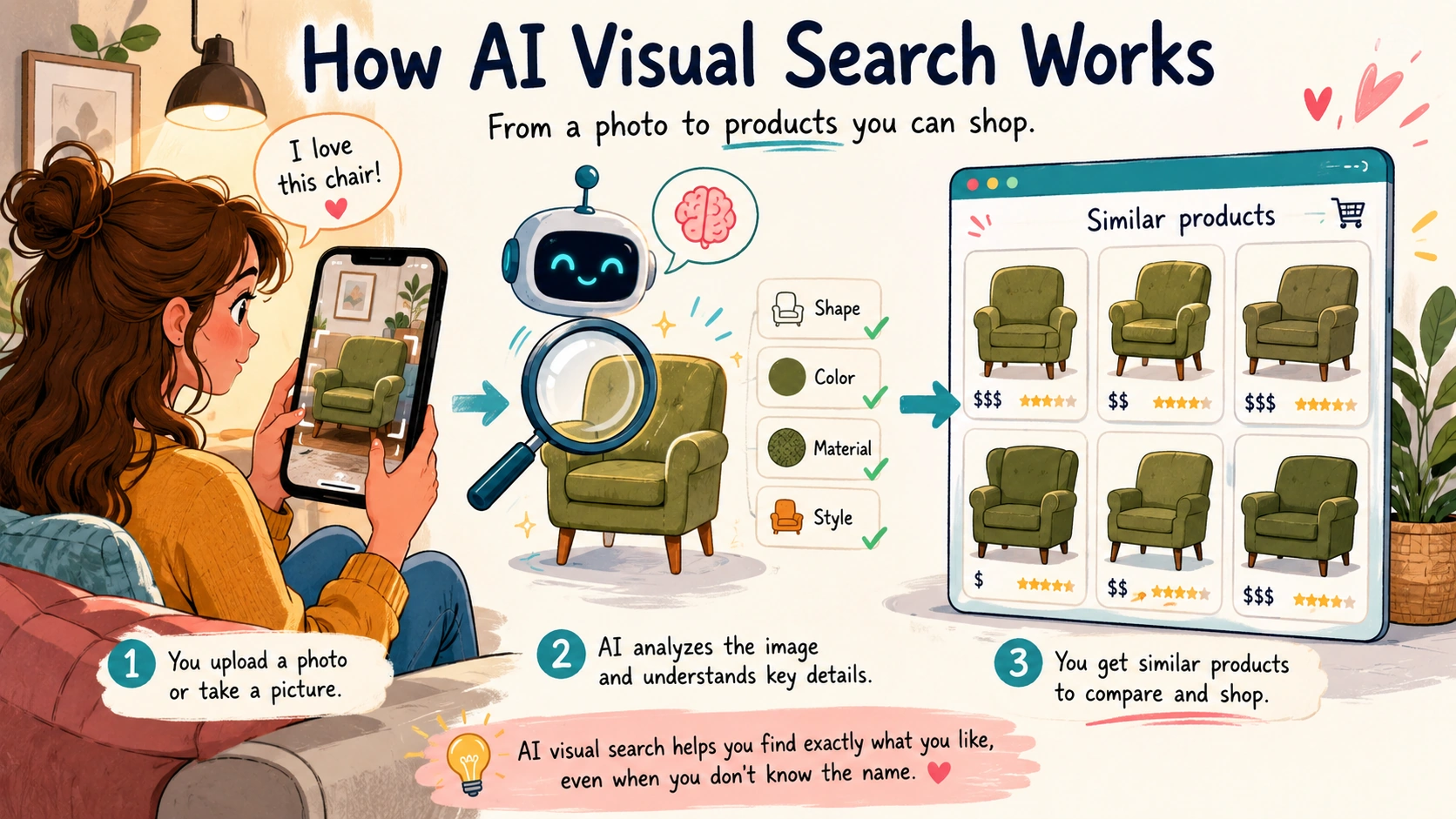
The process may feel simple from the shopper’s side: upload an image, select an item, and view results. Behind that experience, the system usually has to identify the important object in the image, understand visual details, compare those details with product images and catalog information, then rank the most relevant matches.
A strong visual-shopping tool does not need to find only an exact product. In many cases, the exact item may be unavailable, discontinued, outside the shopper’s budget, or impossible to identify with certainty. The more useful outcome is often a list of similar products that can be refined by price, color, size, material, delivery speed, ratings, or retailer.
1. It Identifies the Main Object in the Image
The first step is deciding what the shopper wants to search for. A single image may contain several objects at once: a sofa, coffee table, lamp, rug, plant, wall art, and decorative pillows. The visual-search tool needs to identify the item that matters most.
Some tools let shoppers crop the image, draw around an item, tap an object on screen, or select a product directly from a photo. This helps narrow the search.
For example, a shopper may upload a photo of a living room and select only the green armchair. The tool can then focus on the chair instead of returning results for every visible item in the room.
This step matters because visual search becomes less useful when the system focuses on the wrong object. A shopper looking for a handbag does not want results for the dress, background furniture, or phone case that happened to appear in the same image.
2. It Looks at Visual Features
Once the relevant object is identified, the system analyzes visual characteristics that may help describe it. Depending on the product category and image quality, this can include:
- Overall shape and silhouette
- Color and color combinations
- Pattern or texture
- Material appearance
- Style or design details
- Visible branding, logos, or labels
- Product category
- Relative size and proportions
For example, when analyzing a handbag, the tool may notice a structured rectangular shape, tan leather-like material, gold hardware, a short top handle, and a crossbody strap. With a chair, it may recognize a curved back, velvet-like fabric, tapered wooden legs, and a dark green color.
These signals help the system understand what makes the item visually distinctive. The goal is not to describe the image exactly like a person would. The goal is to identify enough useful features to search for relevant products.
3. It Matches the Image With Product Catalogs or Web Results
After identifying visual features, the system compares the image with product photos, catalog records, retailer listings, or indexed web content. It may look for an exact match, a close visual match, or a group of products with similar characteristics.
Google Cloud’s product-search documentation describes a visual product-matching process in which a system can search for similar products using an input image from a web URL, cloud location, or encoded image file. Google Cloud Vision API Product Search documentation shows how image-based product matching can be used to retrieve visually similar items from a product set.
For shoppers, that can lead to several different result types:
- Exact match: The same product, model, or retailer listing is found.
- Near match: A product with a very similar shape, color, or style appears.
- Category match: The tool identifies the item type but cannot find the exact product.
- Alternative match: Similar products are shown at different prices or from different retailers.
An exact match is useful, but it is not always the most valuable result. A shopper may care more about finding a similar item that costs less, arrives sooner, has better reviews, or is available in the preferred color.
4. It Uses Product Information to Improve the Results
Visual similarity alone is not enough for a strong shopping recommendation. Two products can look nearly identical while having different dimensions, materials, quality levels, prices, shipping costs, return policies, or customer ratings.
That is why better visual-search systems combine image matching with product information. After finding visually related items, the tool can use structured data such as:
- Product title and category
- Price and current discounts
- Color and size options
- Dimensions and materials
- Stock availability
- Delivery estimates
- Customer ratings and reviews
- Brand and retailer information
For example, a shopper may upload a photo of a light-colored sectional sofa. The visual search may find several similar sofas, but practical information helps narrow the results further:
- “Only show options under $1,200.”
- “Show sofas under 90 inches wide.”
- “I need removable cushion covers.”
- “Show options that can arrive within two weeks.”
- “Only include products with at least a four-star rating.”
This is where AI visual search becomes more than a reverse-image lookup. The image starts the search, while product data helps turn it into a buying decision.
5. It Lets Shoppers Refine the Search With Text
Visual search works best when shoppers can combine an image with follow-up instructions. The image communicates the style or product type, while text communicates the practical requirements.
For example, someone may upload an image of a dining chair and then ask:
“Find chairs like this in black, under $150 each, with a seat height suitable for a standard dining table.”
Another shopper may use a screenshot of sneakers and ask:
“Show similar shoes in wide fit, under $120, that are good for walking.”
Google Lens is designed around this kind of visual-plus-text search. Google explains that Lens can use a camera, image, or screenshot as a starting point and help people search what they see. Google Lens explains how its visual search experience works, including the use of images to discover visually similar content and related information.
This combination is especially useful when the shopper likes the look of a product but wants to change one important feature, such as the color, price, size, material, brand, or delivery timeline.
6. It Ranks the Most Relevant Matches
Once the system has potential matches, it has to decide which results should appear first. Ranking can depend on visual similarity, product availability, search relevance, price, ratings, delivery speed, retailer data, and the shopper’s follow-up instructions.
For example, a visual-search tool may find ten beige tote bags that look similar to the item in a photo. The top results may change depending on whether the shopper asks for:
- The closest visual match
- The lowest current price
- A similar item from a trusted brand
- Fast delivery
- Better customer reviews
- Vegan leather or a specific material
This is why the first result should not always be treated as the best product. It may be the closest visual match, but another option may have a better price, stronger reviews, a clearer return policy, or more suitable dimensions.
7. It May Use AI to Explain the Differences
Some visual-shopping tools can go beyond showing similar images. They may help shoppers compare the products they find by explaining visible and practical differences.
For example, an assistant may summarize that one chair has a similar shape but uses a different material, another is less expensive but has a lower weight limit, and a third costs more but includes a longer warranty.
This can save time, especially when a shopper finds several products that look alike. Instead of opening every listing manually, the shopper can ask:
- “Which option is closest to the original photo?”
- “Which one has the best reviews for durability?”
- “Which one is the best value under $300?”
- “Which options are available in a darker green?”
- “What are the main differences between these three?”
The assistant should still ground those answers in real product information. A visual match can show style, but only the product page can confirm important details such as dimensions, material, compatibility, price, and availability.
Why Image Quality Still Matters
Visual search is usually more accurate when the image is clear, well lit, and focused on one main product. Blurry screenshots, dark photos, crowded rooms, hidden labels, unusual camera angles, filters, and partially blocked items can make exact matching more difficult.
For better results, shoppers can:
- Crop the image around the product they want to find
- Use the clearest available photo or screenshot
- Select one item rather than searching an entire room or outfit
- Add useful details such as color, budget, category, or size
- Try a second image from another angle when possible
- Compare visual matches with product specifications before buying
Visual search does not need a perfect image to be useful. But clearer images and more specific follow-up questions usually produce more practical shopping results.
In the next section, we look at the types of products shoppers can find from a photo, from exact product matches to lower-cost alternatives, visually similar items, and products that solve the same need.
What Can Shoppers Find With a Photo?
A photo can become the starting point for many different shopping searches. Sometimes the goal is to identify the exact product. In other cases, the shopper only wants something with a similar look, a lower price, a different color, or better availability.
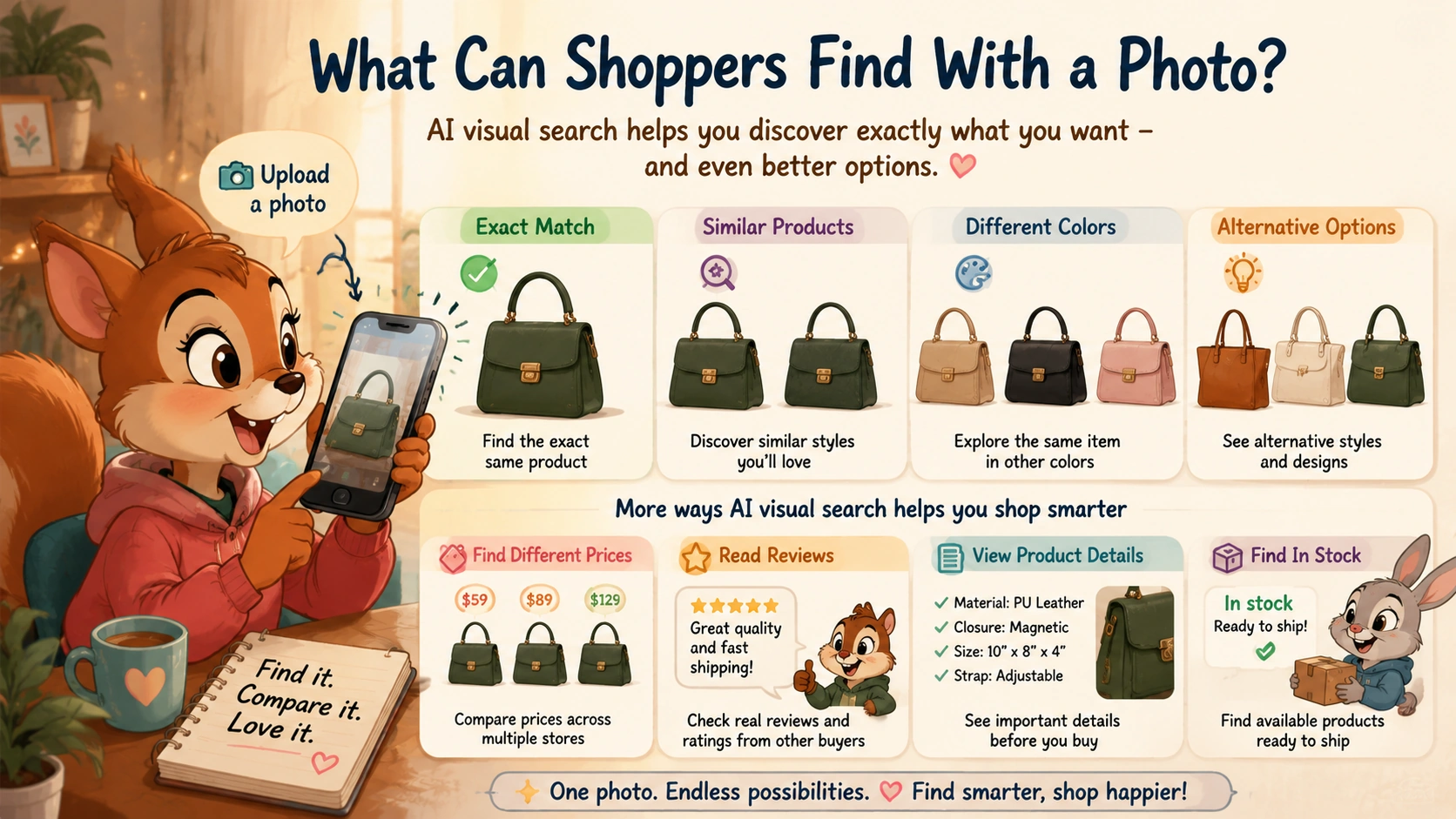
That flexibility is what makes AI visual search useful. A shopper does not need to know the product name before they begin. They can start with what they see, then decide whether they want the same item, a close match, or an alternative that better fits their budget and needs.
Exact Product Matches
The most direct use of visual search is trying to identify the exact product shown in an image. A shopper may upload a screenshot of a lamp, jacket, backpack, sneaker, watch, chair, or kitchen item and ask the tool to find where it is sold.
When the image is clear and the product has recognizable details, the search may identify:
- The brand or product name
- The retailer selling it
- Current price information
- Available colors or sizes
- Customer reviews
- Other stores that carry the same item
For example, someone may see a pair of sneakers in a video, take a screenshot, and use visual search to find the exact model. The tool may identify the brand, show similar listings, and help the shopper compare available sizes and prices.
Exact matches are most likely when the image includes distinctive features such as a visible logo, unusual shape, recognizable pattern, product label, or clear design details. However, an exact visual match should still be checked carefully because similar versions of the same product can have different materials, dimensions, model years, or included accessories.
Similar Products With a Lower Price
Many shoppers do not need the original product. They simply like the overall look and want a more affordable alternative.
For example, someone may find a designer-style coffee table, handbag, dining chair, or pair of boots online but decide that the original price is too high. Visual search can help find products with a similar shape, color, material appearance, or style at a lower price.
A shopper might upload a photo and then add a request such as:
“Find similar coffee tables under $300.”
Or:
“Show handbags like this in tan, but under $150.”
The best results are not always the products that look most identical. A close visual match may have weak reviews, poor materials, expensive shipping, or difficult return terms. That is why shoppers should compare more than appearance before choosing a lower-cost alternative.
Products in a Different Color, Size, or Material
Sometimes a shopper likes the product style but wants to change one important feature. They may want the same chair in dark green instead of cream, the same handbag in black instead of brown, or a similar jacket made from a different material.
Visual search becomes more useful when the shopper combines the image with a clear follow-up request:
- “Find a sofa like this in navy blue.”
- “Show similar heels in wide fit.”
- “Find this type of lamp in brass instead of black.”
- “Show chairs like this with washable fabric.”
- “Find a similar backpack made from vegan leather.”
This makes the search more practical than simply uploading an image and accepting the first results. The image communicates the visual style, while the text adds the requirements that matter for the final purchase.
Alternative Products That Solve the Same Need
Visual search can also help shoppers find products that solve the same problem, even when they are not exact style matches.
For example, someone may upload a photo of a compact desk setup and ask for a similar workspace solution for a small apartment. The tool may suggest narrow desks, wall-mounted options, foldable tables, monitor stands, or storage-friendly alternatives.
Someone searching for a travel backpack may find a visually similar product, then ask:
“Show alternatives like this that fit under an airplane seat.”
That changes the search from “find this exact bag” to “find something with the same general style that also meets my travel requirements.”
This is especially useful when the original product is out of stock, only available from an unfamiliar seller, too expensive, or no longer made.
Furniture and Home Decor From Inspiration Photos
Furniture and home decor are among the most natural uses for visual shopping because many shoppers begin with inspiration rather than exact product names.
A person may see a living room in a hotel, social-media post, magazine image, or real-estate listing and want to find a similar chair, rug, mirror, lighting fixture, table, or wall decor item.
Visual search can help identify:
- Furniture styles and silhouettes
- Similar color palettes
- Decor pieces with related shapes or materials
- Products sized for smaller rooms
- Lower-cost alternatives to high-end interiors
For example, a shopper may upload a photo of a curved cream sofa and ask:
“Find sofas like this under $1,500 that are less than 90 inches wide.”
The image helps communicate the style, while the text helps prevent impractical results that are too large, too expensive, or unavailable for delivery.
Fashion, Shoes, and Accessories
Fashion visual search is useful because style is often difficult to describe with keywords alone. A shopper may know they want a certain outfit, sneaker shape, handbag style, jewelry design, or jacket silhouette without knowing the retail terms used to describe it.
Someone may upload a screenshot and search for:
- A similar dress in a different size range
- Boots with the same shape but a lower heel
- A handbag with a similar structure at a lower price
- A jacket in the same style but a different color
- Similar sneakers suitable for wide feet or long walks
Google says Lens can help people search what they see using a camera, photo, or screenshot, including finding products, prices, and places to buy. Its visual search tools can also be refined with text for different colors, patterns, or sizes. Google’s Lens overview explains how image-based shopping searches can be combined with follow-up text.
Still, visual similarity does not guarantee the same fit. Two jackets may look alike but have different cuts, fabrics, sizing systems, and return policies. Shoes that appear similar may differ significantly in width, cushioning, weight, and support.
Products Seen in Videos, Social Media, and Screenshots
Many buying decisions now begin with content rather than an ecommerce website. A shopper may notice a product in a TikTok clip, Instagram post, YouTube video, Pinterest image, blog article, or online advertisement.
Visual search helps turn that moment of inspiration into a product search. Instead of trying to describe “the beige bag from that video” or “the lamp in the background,” the shopper can take a screenshot and select the item they want to investigate.
This can be useful for finding:
- Fashion items shown in creator content
- Home decor from room tours and makeover videos
- Kitchen tools or gadgets used in recipe clips
- Travel gear featured in packing videos
- Beauty products seen in tutorials
- Fitness equipment used in workout content
The shopper should still be cautious about products promoted through influencer content. A visually appealing item may be sponsored, edited heavily, unavailable, or different from the actual product sold by the retailer.
Replacement Parts and Similar Everyday Items
Visual search can also help with ordinary shopping tasks. Someone may photograph a damaged appliance part, a charger, a light bulb, a tool attachment, a kitchen accessory, or a piece of hardware and use the image to identify the product type.
For example, a shopper may upload a photo of a water-filter cartridge and ask for compatible replacements. The image may help identify the general shape and category, while model numbers, measurements, and manufacturer information are still needed to confirm compatibility.
This is useful for discovery, but it is not enough for safety-sensitive or compatibility-sensitive purchases. A replacement part that looks correct may still have the wrong dimensions, voltage, connector, capacity, or fitting system.
What Visual Search Cannot Reliably Tell You
A photo can reveal a lot about style, shape, color, and category. It cannot always confirm the practical details that matter after the shopper finds a product.
Before buying a visual match, shoppers should still check:
- Exact dimensions and measurements
- Materials and construction quality
- Compatibility with existing devices or products
- Current price and shipping costs
- Stock availability and delivery estimates
- Customer reviews related to durability, fit, or comfort
- Warranty and return conditions
The strongest use of AI visual search is to move quickly from inspiration to realistic options. It can help shoppers discover products they would not have found through text alone, but the final choice should still be based on verified product details, not appearance alone.
In the next section, we look at how AI visual search is being used in fashion and accessories, where shoppers often care about both visual style and practical details such as fit, color, material, price, and availability.
AI Visual Search for Fashion and Accessories
Fashion is one of the clearest use cases for AI visual search because shoppers often recognize a look before they know how to describe it. Someone may see a jacket in a video, a handbag in an Instagram post, a pair of sneakers in a street-style photo, or an outfit in a Pinterest image and immediately know they want something similar.
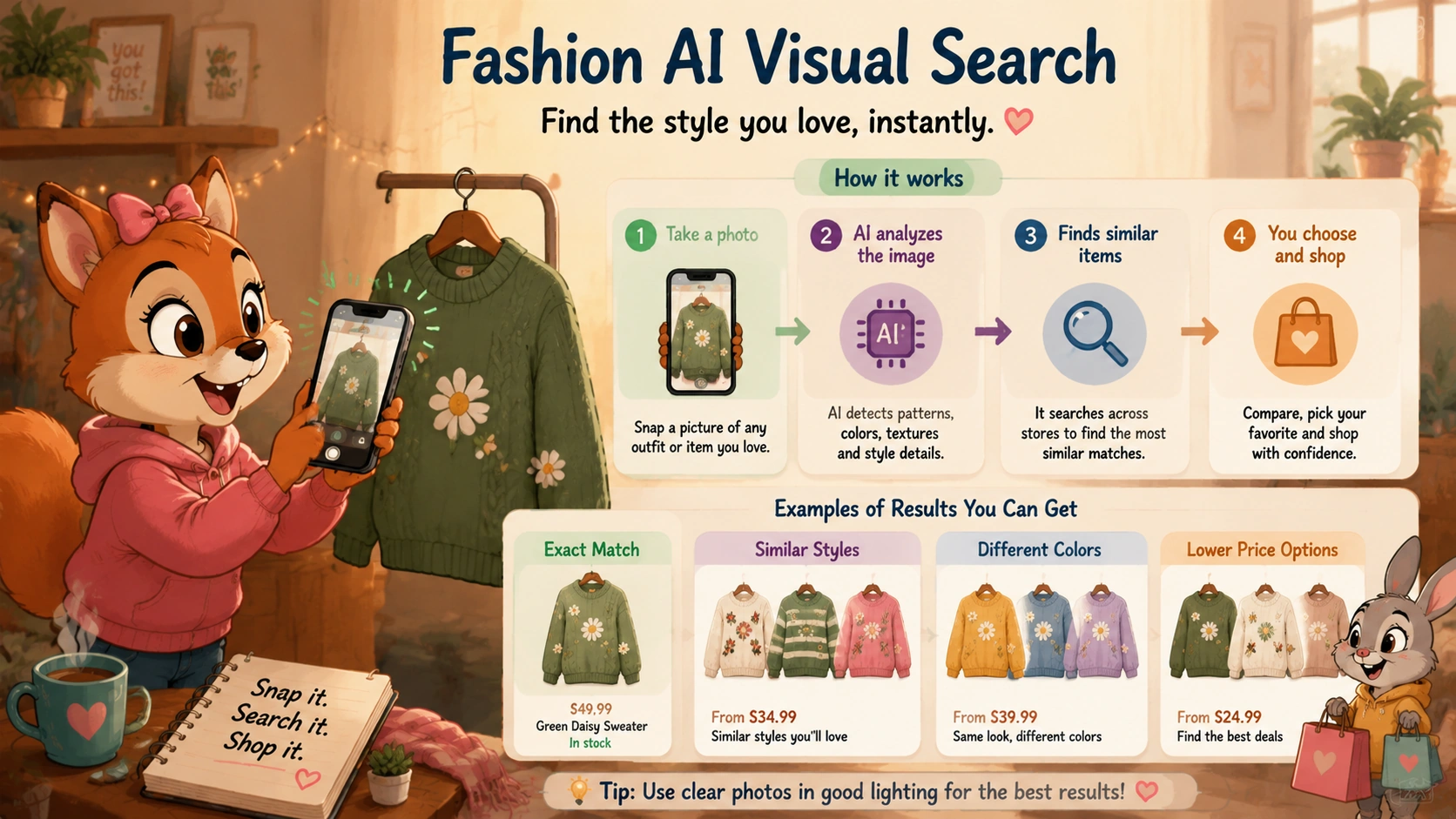
The problem is that fashion search terms are often inconsistent. One retailer may describe an item as a “cropped utility jacket,” while another calls a similar piece a “short canvas overshirt” or “casual workwear layer.” A shopper may know they want the style but not the exact words needed to find it.
AI visual search gives shoppers another way to begin. Instead of guessing the right keyword, they can upload a photo, use a screenshot, select an item from an image, and then refine the results based on practical details such as size, color, price, brand, fabric, fit, or delivery speed.
Finding Similar Clothing From an Image
A shopper may use a photo to search for dresses, jackets, jeans, tops, skirts, coats, sweaters, activewear, or formalwear. The tool can look at the overall silhouette, color, visible patterns, neckline, sleeve length, fabric appearance, button placement, pocket details, or other visual features.
For example, someone may take a screenshot of a beige trench coat and ask:
“Find coats like this under $200 in petite sizes.”
Another shopper may upload an image of a dress and ask:
“Show similar dresses in dark green for a summer wedding.”
The photo communicates the style, while the written request adds the details that matter for the actual purchase. This is much more useful than searching only for “beige coat” or “green dress,” which may return hundreds of unrelated results.
Finding Shoes That Match a Style
Shoes are another strong category for visual search. A shopper may see sneakers, boots, sandals, loafers, heels, running shoes, or casual shoes that match the look they want but have no idea what the style is called.
For example, someone may see a pair of retro-inspired sneakers in a video and want a similar pair in another color or price range. They might use the image and add a request such as:
- “Find sneakers like these in wide fit.”
- “Show similar shoes under $120.”
- “Find this style with better arch support.”
- “Show similar shoes that are good for long walks.”
- “Find a black version with a lower platform sole.”
Visual search can help identify the general silhouette and style. However, shoes that look similar may feel very different in real use. Width, cushioning, weight, toe-box shape, arch support, sole grip, and sizing can vary significantly between brands.
That means a visual match should be treated as the beginning of the search, not the final answer. Before ordering, shoppers should still check the official size chart, recent reviews that mention fit, return conditions, and whether the retailer offers easy exchanges.
Searching for Handbags, Jewelry, and Accessories
Accessories are often highly visual and difficult to search through ordinary keywords. Someone may like the shape of a handbag, the hardware on a watch, the texture of a belt, the design of sunglasses, or the style of a necklace without knowing the product terminology.
AI visual search can help shoppers find alternatives based on details such as:
- Bag shape and handle style
- Color and material appearance
- Metal hardware or buckle design
- Jewelry shape and stone color
- Sunglasses frame style
- Visible logo placement
- Overall style, such as minimalist, vintage, sporty, or structured
For example, a shopper may upload a photo of a structured brown handbag and ask:
“Find similar bags in black leather under $180.”
Another shopper may find a pair of earrings in a social-media image and ask for similar options made from sterling silver instead of plated metal.
The exact original item may not be available, but visual search can still help identify alternatives that preserve the details the shopper cares about most.
Using Visual Search for Outfit Inspiration
Visual search does not need to focus on one product at a time. It can also help shoppers use an outfit or style image as inspiration.
Someone may see a complete look and want to recreate part of it without buying every item from the same retailer. They might search for:
- A similar jacket with lower-cost jeans
- Boots that match the same overall style
- A handbag in a similar color palette
- Alternatives for a specific event or season
- Comparable products from different brands
This is especially helpful when the original outfit comes from a creator post, fashion editorial, social-media trend, or retailer campaign where individual items are not clearly tagged.
Google explains that Lens can use a photo, screenshot, or camera view as the starting point for visual search and can be combined with text to narrow results further. Google’s visual shopping overview shows how shoppers can use images and follow-up details to find products and explore similar options.
How to Get Better Fashion Search Results
Fashion visual search usually works better when the image is clear and focused on the item being searched. A crowded group photo, dark room, heavy filter, or partially hidden outfit can make it harder for the tool to identify the most relevant product.
For stronger results, shoppers can:
- Crop the image around the clothing item or accessory they want
- Use a screenshot with the product clearly visible
- Add the desired size, color, budget, or material
- Ask for several price ranges instead of accepting the first match
- Request alternatives from multiple brands
- Check recent reviews for comments about fit and quality
A good request might be:
“Find dresses with a similar neckline and silhouette in navy blue, under $150, available in size medium.”
This gives the visual-search tool both the inspiration and the practical requirements needed to return more useful results.
Why Visual Similarity Is Not Enough
Fashion visual search is useful because it makes discovery faster, but appearance alone does not confirm quality or fit. Two jackets may look nearly identical while using very different fabrics. Two handbags may have the same shape but different hardware quality, lining, strap durability, or return policies. Two pairs of sneakers may have a similar design but completely different comfort levels.
Before buying a visual match, shoppers should still verify:
- The fabric, material, or construction details
- The official size chart and garment measurements
- Customer reviews related to fit, comfort, and durability
- The current price, shipping cost, and delivery timeline
- The return and exchange policy
- Whether the seller is established and trustworthy
AI visual search can help shoppers move from “I like this look” to a realistic shortlist much faster. But the best final decision comes from combining the image-based results with verified product details and a careful comparison of the options.
In the next section, we look at how AI visual search helps shoppers find furniture and home decor from inspiration photos, room images, hotel interiors, and social-media posts.
AI Visual Search for Furniture and Home Decor
Furniture and home decor are among the most useful categories for AI visual search because many shopping decisions begin with inspiration, not a product name. Someone may see a living room in a hotel, a lamp in a restaurant, a chair in a friend’s home, or a styled bedroom in a social-media post and immediately know they like the overall look.
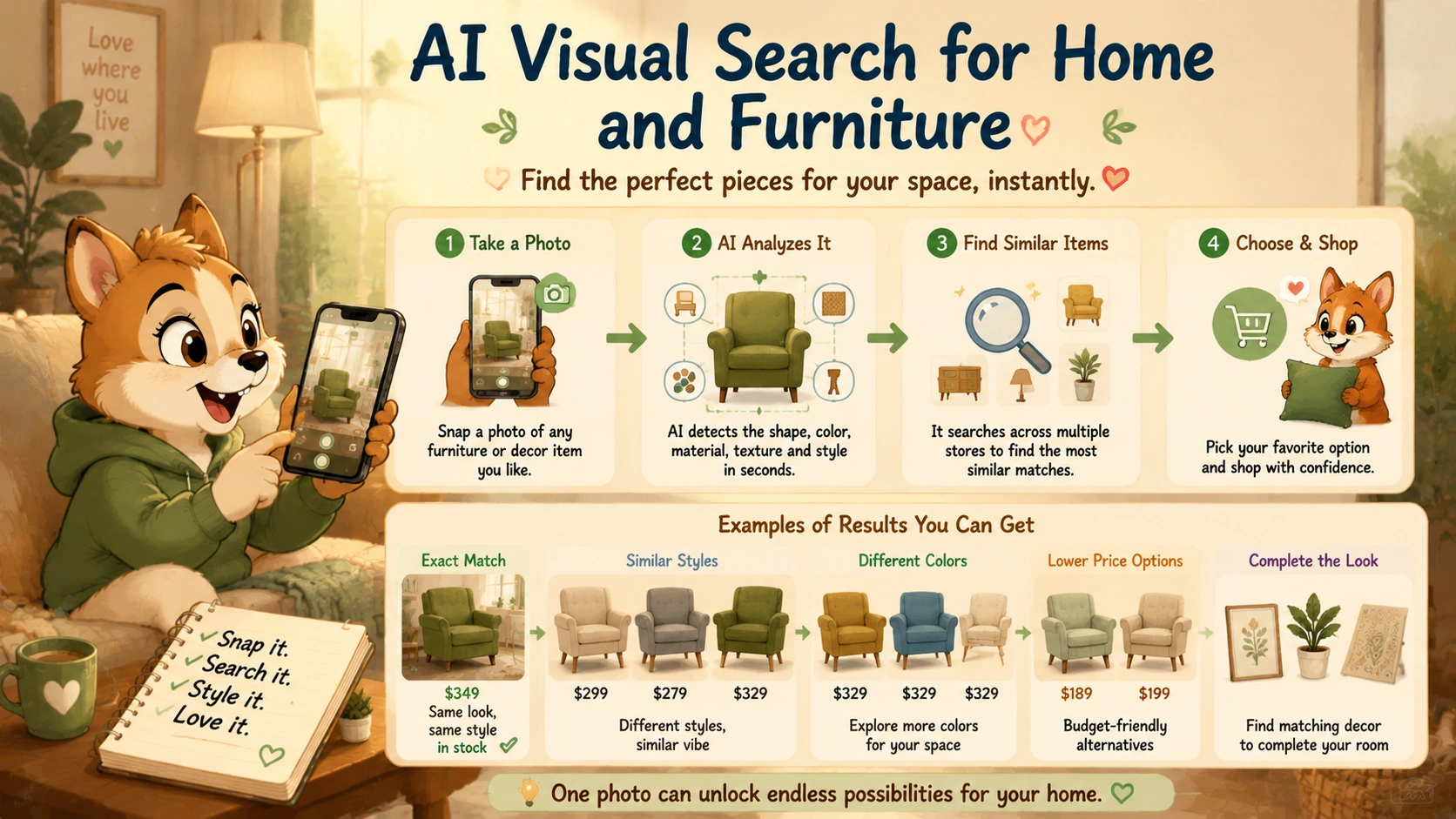
The challenge is turning that inspiration into a practical search. A shopper may not know whether a table is described as Scandinavian, Japandi, mid-century modern, transitional, farmhouse, contemporary, or minimalist. They may like a curved sofa, textured rug, brass lamp, or dark green accent chair without knowing the correct keywords, dimensions, or product filters needed to find it online.
AI visual search gives shoppers a faster starting point. Instead of trying to describe the item from memory, they can upload a photo or screenshot, select the piece they want to find, and then refine the results with practical requirements such as room size, budget, color, material, delivery date, or retailer.
For example, a shopper may upload an image of a cream boucle chair and ask:
“Find chairs like this under $350 that will fit in a small apartment.”
Another person may take a screenshot of a dark wood coffee table and ask:
“Show similar tables in walnut, under 48 inches wide, with storage.”
The image communicates the visual direction, while the written request makes sure the results are realistic for the shopper’s home, budget, and practical needs.
From Room Inspiration to Individual Products
One image can contain an entire room full of shopping ideas: a sofa, rug, side table, lamp, curtains, artwork, shelves, cushions, and decorative objects. A good visual-search tool should allow the shopper to focus on one item instead of treating the whole room as a single search request.
For example, someone may upload a photo of a living room and select only the armchair. They can then search for visually similar chairs without receiving results for the lamp, rug, coffee table, or wall art in the same image.
This is especially helpful when a product is part of a styled interior rather than shown on a clean retailer product page. Inspiration photos often make an item look attractive because of the complete room design. Visual search helps shoppers separate the individual pieces and decide which ones they actually want to buy.
Google Lens is one example of this type of visual search. Google says shoppers can use images to find similar furniture and home decor without needing to type a detailed description first. Google Lens also supports using a photo or screenshot as the starting point for discovering related products.
Finding Furniture That Matches a Style
Many furniture shoppers are not looking for an exact product. They want something that creates a similar feel in their own space.
For example, someone may see a low-profile beige sofa with rounded edges in a design photo. The original may be outside their budget, unavailable in their location, or too large for their room. Visual search can help them find alternatives with similar details:
- Rounded or curved silhouettes
- Light neutral upholstery
- Low seating height
- Minimalist or contemporary styling
- Wood, metal, or hidden-leg construction
- Similar dimensions for a smaller or larger room
The shopper can then improve the request with practical details:
- “Show sofas like this under $1,500.”
- “Only show options under 90 inches wide.”
- “I need removable cushion covers.”
- “Show similar sofas in dark green.”
- “Only include products that can be delivered within two weeks.”
This makes visual search more useful than a basic image lookup. The goal is not simply to find something that looks similar. The goal is to find something that looks similar and actually works for the shopper’s home.
Finding Decor From Social Media and Interior Photos
Home decor trends often spread through Instagram, Pinterest, YouTube room tours, real-estate listings, hotel photos, and interior-design blogs. A shopper may spot a mirror, pendant light, vase, wall print, rug, or side table and want to recreate part of the look.
Visual search can help identify or suggest similar:
- Table lamps and pendant lights
- Wall mirrors and framed art
- Area rugs and runners
- Throw pillows and blankets
- Dining chairs and bar stools
- Side tables, benches, and storage cabinets
- Planters, vases, and decorative accessories
For instance, a shopper may see a fluted wood sideboard in a video and search:
“Find cabinets like this in oak, under $800, with at least two closed storage doors.”
Another shopper may use a screenshot of a pendant light and ask for a similar option with a plug-in cord instead of hardwired installation.
Visual search can make these requests much easier because it starts with the design details that caught the shopper’s attention. The text instructions then handle the practical differences that an image alone cannot show.
Using Images to Find Smaller-Space Alternatives
A major problem with furniture inspiration is that a product may look perfect in a large, professionally styled room but be impractical in a smaller apartment, bedroom, or studio.
AI visual search can help shoppers move from a large-scale inspiration image to more realistic options. Someone may like the overall look of a large sectional sofa but need a compact loveseat. They may like a wide dining table but only have room for a round table or drop-leaf alternative.
A shopper can use an image as the starting point and then add constraints such as:
- “Find a smaller version for a studio apartment.”
- “Show options no wider than 60 inches.”
- “I need a narrow console table for an entryway.”
- “Find a similar desk that fits two monitors in a small room.”
- “Show storage benches under 45 inches long.”
This combination of visual style and measurements is one of the strongest uses of AI shopping tools. The shopper does not have to choose between a look they like and a product that fits their space. They can search for both at the same time.
Visual Search Can Help Compare Price Levels
Furniture and decor often vary widely in price. Two pieces can look almost identical in an image while having very different materials, construction quality, dimensions, delivery costs, return policies, or assembly requirements.
Visual search can help shoppers discover options at several price levels:
- An exact or near-exact product match
- A lower-cost alternative with a similar appearance
- A mid-range option with stronger materials or better reviews
- A premium version with a longer warranty or more durable construction
For example, someone may upload a photo of a marble-look coffee table and ask:
“Show similar tables under $300, then compare them with one higher-quality option under $600.”
That request makes the trade-offs easier to see. A lower-cost option may use laminate or engineered wood, while a more expensive piece may use solid wood, metal, stone, or a heavier construction. The products may look alike in a thumbnail, but they may not perform the same way over time.
Why Measurements Matter More Than Appearance
Visual search can identify style, but it cannot reliably tell a shopper whether a product will fit their space. A chair may look compact in a photo but have a wide footprint. A mirror may seem small on a wall but be much larger than expected. A sectional may appear suitable for a living room but not fit through the shopper’s hallway, elevator, or doorway.
Before buying furniture found through visual search, shoppers should verify:
- Overall width, depth, and height
- Seat height and seat depth for chairs and sofas
- Table height and clearance for dining or desk setups
- Doorway, stairway, hallway, and elevator access
- Weight limits for shelves, chairs, benches, and beds
- Assembly requirements and included hardware
- Return policies for large or assembled furniture
Google has also highlighted augmented-reality shopping features that let people view certain furniture products in their own space, which can help shoppers get a better sense of scale before buying. Google’s shopping guidance describes using compatible 3D furniture listings to preview pieces in a room.
AR previews can be helpful, but they should still be treated as a planning tool. They do not replace checking exact measurements, product materials, delivery restrictions, and return terms.
Materials and Quality Are Hard to Judge From a Photo
One of the biggest limits of visual shopping is that two products can look similar while having very different quality levels. A sofa may appear to have rich textured fabric but use a material that is difficult to clean. A wood-look table may be solid wood, veneer, laminate, or engineered wood. A metal lamp may look premium in a photo but have lightweight construction or a short cord.
Before buying a visually similar product, shoppers should check:
- The exact material and finish
- Frame construction and weight capacity
- Fabric composition and cleaning instructions
- Whether cushions, covers, or hardware are removable
- Assembly difficulty and tool requirements
- Recent customer reviews about durability and quality
- Warranty coverage and damage policies
A strong visual-search result should make it easy to move from the image to the product page, where these details can be verified before checkout.
How to Get Better Furniture and Decor Results
Visual search works best when the image is clear and the shopper gives the tool enough practical context. A cropped image of the product is usually more helpful than a full room photo, especially when several items are visible.
For better results, shoppers can:
- Crop the image around the piece they want to find
- Use a clear, well-lit photo or screenshot
- Add the maximum dimensions that will fit the space
- Include a budget range and preferred material
- Specify a color or finish, such as oak, walnut, brass, black, or dark green
- Ask for alternatives at different price points
- Check delivery dates and return conditions before ordering
A practical request could look like this:
“Find accent chairs with a similar curved shape in dark green velvet, under $400, no more than 34 inches wide, and available for delivery this month.”
That gives the AI visual-search tool both the style reference and the real-world requirements needed to return useful options.
In the next section, we look at how shoppers can use visual search to find similar products at different prices, compare lower-cost alternatives, and avoid confusing appearance with actual value.
Finding Similar Products at Different Prices
One of the most practical uses of AI visual search is finding products that look similar at different price points. A shopper may see a handbag, chair, jacket, lamp, sneaker, or kitchen item that matches their style but costs more than they want to spend. Instead of giving up or trying to guess the right keywords, they can use an image to search for alternatives with a similar appearance.
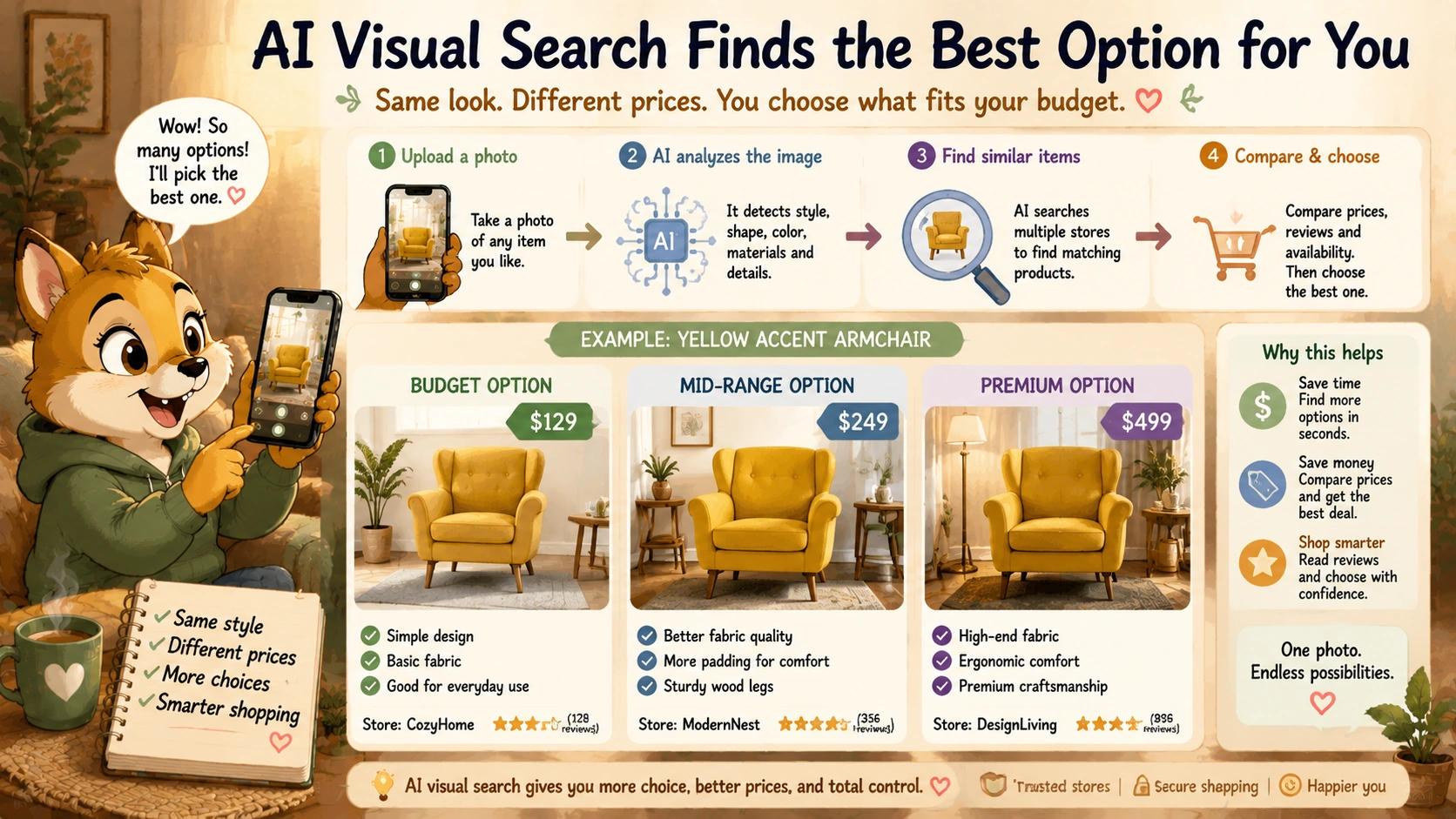
This is often called finding a “dupe,” but a useful visual-shopping search should go beyond appearance alone. The goal is not simply to find the cheapest item that looks close to the original photo. It is to find a realistic alternative that balances style, quality, dimensions, reviews, delivery, return conditions, and total cost.
For example, someone may see a curved cream chair in an interior-design image that costs $900. They may upload the image and ask:
“Find chairs with a similar curved shape in cream or beige under $350.”
The visual-search tool can use the image to understand the silhouette, color, upholstery style, and overall category. The shopper can then add practical limits such as size, material, budget, delivery date, and preferred retailer.
Visual Similarity Is Only the Starting Point
Two products can look very similar in a thumbnail while being very different in real life. A low-cost sofa may use a lighter frame, thinner cushions, less durable fabric, or lower-quality hardware. A handbag may have a similar shape but use a different material, weaker stitching, or a much shorter strap. A pair of sneakers may copy the same overall silhouette but offer less support, comfort, or durability.
That does not mean lower-priced alternatives are automatically poor choices. It simply means shoppers should compare more than the image before deciding that an item is a good value.
After finding visually similar products, compare:
- Material and construction quality
- Dimensions, weight, or capacity
- Current price, shipping cost, and taxes
- Customer reviews related to durability and everyday use
- Warranty and return conditions
- Stock availability and delivery estimates
- Whether the seller is established and easy to contact
Google says Lens can help shoppers use a photo to view product details, including prices, deals, reviews, and places to buy. That makes visual search useful for discovery, but shoppers should still compare the full offer before treating a lower price as the better deal. Google’s visual shopping guidance explains how images and text can work together to narrow product searches.
How to Search for Lower-Cost Alternatives
A broad image search may return many products that look similar but do not fit the shopper’s real requirements. The better approach is to use the image first, then add specific filters or follow-up questions.
For example, instead of searching only for a similar bag, a shopper could ask:
“Find structured bags like this in black leather or vegan leather under $150, with a crossbody strap and customer reviews above four stars.”
Someone looking for furniture could ask:
“Show coffee tables with a similar oval shape under $300, less than 48 inches wide, with delivery available this month.”
For fashion, a shopper could ask:
“Find jackets with a similar cropped style in dark green, under $120, available in women’s medium.”
These follow-up details reduce irrelevant matches and make the results more useful. The image communicates the look. The text communicates the budget, fit, material, and practical requirements.
Compare the Total Cost, Not Only the Product Price
A product that appears cheaper in a visual-search result may not actually cost less after shipping, taxes, return fees, membership requirements, or extra accessories are added.
For example, a $90 handbag may look like a better deal than a $120 alternative. But the lower-priced listing may add $20 shipping, have a restocking fee for returns, or come from a marketplace seller with slow delivery. The $120 product may include free shipping, easier returns, and a stronger warranty.
When comparing alternatives, check the final cost rather than only the price shown in a product tile:
- Base product price
- Shipping and delivery costs
- Taxes and possible import fees
- Coupon, bundle, or membership conditions
- Return-shipping or restocking fees
- Required accessories or subscriptions
The Federal Trade Commission advises online shoppers to compare sellers and products, read delivery and return terms, and check the total cost of a purchase rather than relying only on an advertised price. FTC online-shopping guidance also notes that refund and return policies can vary between sellers.
Use Several Price Levels to Understand Value
A useful AI visual-search query should not show only the cheapest option. It can be more helpful to compare products across several price levels.
For example, if a shopper uploads an image of a modern dining chair, the assistant could show:
- Budget option: Similar style at the lowest practical price.
- Mid-range option: Similar appearance with stronger reviews or better materials.
- Premium option: Higher price, but better durability, warranty, or construction.
This makes trade-offs easier to understand. A budget chair may be a good choice for occasional use, while a mid-range or premium version may make more sense for everyday dining, a home office, or a space where durability matters.
Instead of asking “Which one is best?” shoppers can ask more useful questions:
- “Which is the closest visual match under $200?”
- “Which option has the best reviews for durability?”
- “What do I give up by choosing the cheaper version?”
- “Show one budget, one mid-range, and one premium alternative.”
- “Which product is the best value when shipping and return costs are included?”
That approach encourages the assistant to explain differences instead of simply ranking the lowest price first.
Look Beyond Marketplace Photos
Visual-search results may include products from many retailers, marketplaces, and third-party sellers. A polished product photo does not always mean the seller is reliable or that the item will match the listing.
Before buying a low-cost alternative from an unfamiliar seller, check:
- Recent customer reviews
- Whether reviews mention receiving the correct item
- Seller ratings and contact information
- Expected delivery time
- Return and refund conditions
- Whether product photos and descriptions appear consistent
- Whether the listing includes real measurements and material details
This is particularly important for products seen in social-media ads or unfamiliar marketplaces. A product can look convincing in a promotional image but arrive with different materials, smaller dimensions, weaker construction, or a return process that is difficult to use.
Finding Similar Products Without Copying the Original Exactly
Visual search is most useful when shoppers focus on the characteristics they truly like rather than demanding an exact duplicate. Someone may like the color, shape, texture, or overall style of a product but be open to a different brand, material, or detail.
For example, a shopper may like a designer-style lamp because of its rounded glass shade and brass finish. Instead of searching only for that exact lamp, they could ask:
“Find table lamps with a similar rounded glass shade and brass base under $100.”
This often produces better results because it gives the system room to find products that match the important visual features while remaining inside the shopper’s budget.
The same approach works for fashion, furniture, accessories, and everyday products. A shopper may not need the original brand or exact model. They may only want a similar silhouette, a comparable color palette, or the same general function.
When a Cheaper Alternative Is Not the Better Choice
There are situations where the lowest-cost visual match may not be the right purchase. This is especially true for products where quality, safety, fit, compatibility, or durability matter more than appearance.
Be more cautious when comparing lower-priced alternatives for:
- Electrical chargers, batteries, and adapters
- Vehicle parts and replacement components
- Safety equipment and protective gear
- Baby and child products
- Furniture that needs to support significant weight
- Mattresses, ergonomic chairs, and products used every day
- Skincare, beauty, or allergy-sensitive products
In these categories, the image may help identify the product type, but verified specifications and reputable sellers matter much more than visual similarity. A product that looks identical may not meet the same safety, compatibility, or performance standards.
How to Use AI Visual Search for Better Value
AI visual search works best when shoppers use it as a comparison tool, not just a shortcut to the first cheap result. A good process is:
- Upload a clear image or screenshot of the product style you like.
- Ask for similar options within your budget.
- Add practical filters such as size, material, color, delivery deadline, or retailer.
- Compare at least three realistic alternatives.
- Check total cost, reviews, materials, dimensions, and return terms.
- Choose the product that offers the best balance of style, quality, and price for your needs.
The real value of visual search is not that it always finds an exact duplicate. It is that it helps shoppers move from “I like this” to a shortlist of realistic products they can compare with more confidence.
In the next section, we compare AI visual search with traditional text-based product search and explain when each method is more useful.
Visual Search vs. Traditional Product Search
AI visual search and traditional product search solve different parts of the shopping journey. Traditional search works best when shoppers know what they want and can describe it with a brand name, product type, model number, feature, or keyword. Visual search is more useful when someone has an image of what they want but does not know the correct words to find it.
For example, a shopper looking for a specific product may type:
“Sony WH-1000XM5 noise-canceling headphones”
That is a strong traditional search because the shopper already knows the brand and model. They likely want the current price, available colors, delivery options, or a retailer with a good return policy.
But a shopper who sees a pair of headphones in a video may not know the model name at all. They may only know that they like the shape, color, or overall style. In that situation, visual search provides a faster way to begin.
They can upload a screenshot and ask:
“Find headphones like these in black under $250.”
Visual search turns the image into the starting point. Traditional search then becomes useful after the shopper identifies likely products and wants to compare specifications, reviews, prices, and delivery details.
| Feature | AI Visual Search | Traditional Product Search |
|---|---|---|
| Starting point | A photo, screenshot, camera image, or selected object. | A keyword, product name, brand, model number, or category. |
| Best for | Finding products someone can see but cannot describe clearly. | Finding a known product, exact model, replacement part, or technical item. |
| Useful for style discovery | Very useful for fashion, furniture, decor, accessories, and visually driven products. | Useful only when the shopper knows the correct style terms or category filters. |
| Exact product matching | Possible when an image is clear, but results may include visually similar alternatives. | Strong when the shopper knows the exact product name, SKU, or model number. |
| Finding alternatives | Strong for similar colors, shapes, styles, and lower-cost options. | Strong for products with specific features, materials, sizes, or technical requirements. |
| Understanding specifications | Limited until the shopper opens a product page or adds follow-up questions. | Better for comparing detailed specifications, compatibility, dimensions, and features. |
| Risk of visual confusion | Higher, because similar-looking products may have different materials, sizes, or quality. | Lower when exact terms, model numbers, and verified filters are used. |
| Best use | Discover the product or style first, then refine the results with text. | Confirm exact details and compare realistic options before buying. |
Traditional Search Is Best When You Know the Exact Product
Traditional search remains essential for many shopping tasks. It is usually the better option when the shopper knows a brand, product name, model number, SKU, technical requirement, or compatibility code.
For example, someone searching for:
“Canon LP-E17 battery”
does not need visual inspiration. They need an exact replacement part that works with a specific camera system. A visual match may show batteries that look similar but have the wrong voltage, dimensions, or compatibility.
Traditional search is also stronger when shoppers need to compare:
- Technical specifications
- Product dimensions
- Device compatibility
- Materials and ingredients
- Warranty terms
- Shipping and delivery dates
- Return policies
- Exact colors, sizes, or product variations
For example, a shopper looking for a laptop charger may need a specific wattage, connector type, power-delivery standard, and compatibility list. A photo can help identify the general category, but text search and official manufacturer information are much more reliable for confirming the correct product.
Visual Search Is Best When You Know the Look but Not the Name
Visual search is especially useful when shoppers can recognize what they want but do not know how to describe it in retailer language.
This often happens in categories where appearance matters more than technical terminology:
- Fashion and accessories
- Furniture and home decor
- Lighting and interior design
- Jewelry and watches
- Beauty and skincare packaging
- Kitchen and lifestyle products
- Travel bags and backpacks
- Toys, collectibles, and gifts
Someone may see a bag in a video and know they like the structured shape, tan color, gold hardware, and short top handle. But they may not know whether retailers call it a satchel, top-handle bag, crossbody, structured tote, or something else.
A text search such as “brown bag with gold hardware” may return thousands of unrelated listings. A visual search can narrow the results based on the item’s visible shape and design first, then allow the shopper to refine by budget, material, size, or color.
Visual Search Helps With Inspiration, While Text Search Helps With Decisions
Visual search is often best at the beginning of a shopping journey. It helps shoppers move from inspiration to a shortlist of possible products.
Traditional search becomes more important as the shopper gets closer to a buying decision. Once someone finds several visually similar products, they usually need to compare the details that an image cannot reliably show.
For example, a shopper may use an image to find a dark green accent chair with a curved shape. After finding several options, they may switch to text-based comparison questions such as:
- “Which chair is under 34 inches wide?”
- “Which one has the highest weight limit?”
- “Which option has removable covers?”
- “Which one can arrive before next Friday?”
- “Which product has the easiest return policy?”
The strongest shopping experience combines both methods. The image helps communicate the style. The text helps confirm whether the product actually fits the shopper’s budget, home, body, device, schedule, or practical needs.
Text Search Can Still Find Better Results for Complex Requirements
Some product requests are difficult to solve from an image because the most important details are invisible. A photo of a vacuum cleaner does not show suction power, battery life, filter type, noise level, weight, or warranty coverage. A photo of a laptop does not show memory, storage, display quality, webcam performance, or software compatibility.
In these cases, traditional search is usually the better starting point because the shopper can describe the functional need directly.
For example:
“Find a lightweight laptop under $1,000 for remote work, video calls, and frequent travel.”
That search includes budget, use case, portability, and performance priorities. An image may help later if the shopper wants a certain design or color, but it is not the most important source of information for the decision.
Traditional search is also more useful when shoppers need to avoid certain features or materials. Someone looking for fragrance-free skincare, a gluten-free food product, a charger with a specific wattage, or a child car seat with required safety details should begin with verified product information rather than visual similarity.
Visual Search Can Produce Results That Look Right but Are Wrong
The main weakness of visual search is that two products can look very similar while having important differences. A sofa can have the same silhouette but different dimensions. A handbag can look almost identical but use a different material. A pair of sneakers can share the same shape but have completely different support, weight, or comfort.
Visual search may also be affected by:
- Blurry or dark images
- Heavy social-media filters
- Products partly hidden behind other objects
- Photos showing older or discontinued versions
- Images that contain several products at once
- Retailer photos that make size or material difficult to judge
That is why shoppers should not assume that the first visually similar result is an exact match. A good visual-search tool can help identify the category and style, but the product page is still needed to confirm size, materials, pricing, availability, and return conditions.
Visual Search Works Best With Follow-Up Questions
The most useful visual-shopping searches combine an image with text. The image explains what the shopper likes. The text explains what the shopper needs.
For example, instead of uploading an image of a sofa and accepting the first results, a shopper can ask:
“Find sofas with a similar curved shape in dark green, under $1,500, less than 90 inches wide, and available for delivery this month.”
Instead of using a screenshot of shoes and choosing the first match, they can ask:
“Show similar sneakers in wide fit under $120 that are comfortable for walking.”
Google says Lens can help people use photos, screenshots, and camera views to search what they see, then refine visual searches with additional text. It can also surface shopping details such as prices, deals, reviews, and places to buy when it identifies a product. Google’s visual-shopping overview explains how image-based search and follow-up text can work together.
When to Use Visual Search and When to Use Traditional Search
Use AI visual search when:
- You see a product you like but do not know its name.
- You want a similar style, shape, color, or design.
- You are looking for fashion, decor, furniture, accessories, or visually driven products.
- You want to find lower-cost alternatives to a product in a photo.
- You want to search from a screenshot, social-media post, or inspiration image.
Use traditional product search when:
- You know the exact brand, model, SKU, or product name.
- You need to confirm compatibility, technical specifications, or dimensions.
- You are shopping for replacement parts, electronics, tools, or safety-sensitive products.
- You need a product with specific materials, ingredients, certifications, or performance requirements.
- You are comparing delivery dates, warranties, return policies, or final prices.
In many situations, the best approach is to use both. Start with an image when style or appearance is the main problem. Then switch to text-based search and product comparison when you need to confirm whether the product is truly the right choice.
In the next section, we look at the accuracy limits of AI visual search and explain why shoppers should always check practical details before buying a product that only appears to be a good match.
Accuracy Limits: Why You Still Need to Check Details
AI visual search can be excellent at helping shoppers discover products, styles, colors, and alternatives. It can turn a photo into a useful starting point and reduce the time spent guessing product names or browsing endless category pages.
But visual similarity is not the same as product accuracy. A search result may look almost identical to the item in a photo while having different dimensions, materials, quality, compatibility, price, seller, delivery terms, or return conditions.
This is the most important limit to understand before buying from a visual-search result. AI can help you find options faster, but it cannot always tell whether a product is truly the right choice for your needs.
The safest way to use visual search is to treat it as a discovery tool first. Use it to find products worth considering, then verify the important details on the official product page before checkout.
A Product Can Look Right but Be the Wrong Size
Images are not always reliable for understanding dimensions. A chair may look compact in a professionally styled room but be much wider than expected. A handbag may appear large in a close-up photo but only fit a phone and small wallet. A lamp may look suitable for a bedside table but be too tall for the available space.
This is especially important for furniture, home decor, luggage, bags, clothing, shoes, and products where fit matters.
For example, someone may use visual search to find a curved sofa that looks similar to one in a social-media post. The results may include several sofas with the same general silhouette, but one may be 78 inches wide while another is 112 inches wide. The products may look almost identical in a thumbnail, but only one may fit the shopper’s room.
Before buying a visually similar product, check:
- Overall width, depth, and height
- Product weight and weight capacity
- Seat height and seat depth for furniture
- Interior capacity for bags and luggage
- Garment measurements and size-chart details
- Whether the product fits through doorways, hallways, stairs, or elevators
- Whether accessories or replacement parts match the exact model you own
A visual-search result can show style, but it cannot reliably tell whether the product fits your room, body, device, or everyday routine.
Materials Can Look Similar but Perform Very Differently
Many products are designed to look more expensive or more premium than they actually are. A wood-look table may be solid wood, veneer, laminate, or engineered wood. A leather-looking bag may use genuine leather, vegan leather, polyurethane, bonded leather, or another synthetic material. A textured sofa may look durable in a photo while using fabric that is difficult to clean or likely to wear quickly.
Visual search may identify a similar appearance, but it cannot always confirm the construction quality behind that appearance.
For example, two dining chairs may have the same curved wooden shape and woven-seat design. One may use solid hardwood and a reinforced frame, while the other may use lower-cost materials and have a lower weight limit. The images may look nearly identical, but the long-term value can be very different.
Before buying a visual match, review:
- Exact material descriptions
- Construction details and frame type
- Fabric composition and care instructions
- Weight limits or load capacity
- Finish, coating, or waterproofing claims
- Product warranty information
- Recent customer reviews about durability
A product photo can show how something looks on day one. It cannot always show how it feels, performs, or holds up after months of use.
Colors in Images May Not Match the Real Product
Color is one of the most common reasons shoppers use visual search, but it is also one of the least reliable details in online photos. Lighting, camera settings, photo editing, screen brightness, social-media filters, and retailer image processing can make the same product appear noticeably different from one screen to another.
A sofa that looks warm beige in a photo may look gray in a home. A dark green dress may appear brighter in sunlight than it does indoors. A handbag that looks black on one screen may actually be dark brown or charcoal.
When color matters, shoppers should:
- Review multiple product images from different angles
- Read customer reviews that mention the real-life color
- Check whether the retailer offers fabric, paint, or material samples
- Look for user-generated photos when available
- Read the official product color name instead of relying only on the image
Visual search can help identify the color family or style direction, but it cannot guarantee that the product will look exactly the same in your home, wardrobe, or lighting conditions.
Exact Matches Are Not Always Actually Exact
A visual-search tool may identify a product that looks exactly like the item in a photo. However, the result may still be a different version, model year, size, color variation, bundle, or seller listing.
For example, a shopper may search for a pair of wireless headphones from a screenshot. The visual search may identify the correct brand and product line but show an older version, a refurbished listing, a model with fewer features, or a third-party seller offering a similar-looking product.
The same issue can happen with:
- Phones and phone cases
- Laptop chargers and cables
- Camera lenses and accessories
- Vehicle parts and replacement components
- Appliance filters and attachments
- Gaming controllers and accessories
- Beauty products with updated packaging or formulas
When you need an exact match, do not rely only on the product image. Check the model number, product code, compatible device list, dimensions, specifications, and official manufacturer information.
Visual search is useful for identifying the general category or possible product line. Traditional search and verified compatibility details are still better for confirming that you are buying the correct version.
Availability and Prices Can Change Quickly
A visual-search result may show a product that was available when the image index or retailer data was last updated. By the time you open the listing, the item may be sold out, unavailable in your preferred color or size, discontinued, or no longer offered at the displayed price.
This is common with:
- Limited-edition fashion items
- Popular sneakers and collectibles
- Seasonal furniture and decor
- Marketplace products sold by multiple sellers
- Flash-sale and holiday promotions
- Products with fast-changing inventory
A product tile may show an attractive price, but the final cost can change depending on the selected variation, shipping method, seller, delivery location, membership status, coupon requirements, or bundle conditions.
Before buying, confirm:
- The current price for the exact version you want
- Shipping costs and delivery estimates
- Whether the product is sold directly by the retailer or a third-party seller
- Whether a coupon, subscription, membership, or bundle affects the price
- Whether the selected color, size, or configuration is actually in stock
- The total amount shown at checkout
The Federal Trade Commission’s online-shopping guidance encourages shoppers to compare sellers, review delivery and return policies, and check the total cost before completing an online purchase.
Visual Search Cannot Confirm Fit or Comfort
Fashion and footwear are two of the strongest categories for visual search, but they are also categories where appearance can be misleading. A pair of sneakers may look exactly right but have a narrow toe box, limited cushioning, or a sizing system that runs small. A jacket may match the desired style but have a different cut, shoulder width, sleeve length, or fabric stretch than expected.
AI visual search can help you find a similar silhouette, color, or design. It cannot fully predict how the item will fit your body or feel after several hours of use.
Before buying clothing, shoes, bags, or wearable products, check:
- The official size chart
- Garment measurements rather than only size labels
- Customer reviews related to fit, width, comfort, and sizing
- Whether the item is final sale
- Return and exchange conditions
- Material stretch, lining, and care instructions
For footwear, it is useful to look for reviews from shoppers with similar needs, such as wide feet, high arches, long walking days, standing work, or specific comfort concerns.
Review Summaries Can Miss Important Context
Some visual-shopping tools may show ratings or summarize product reviews. This can be helpful when a product has hundreds or thousands of reviews, but a summary does not always capture the issue that matters most to you.
A chair may have strong overall ratings because it looks attractive and is easy to assemble, while taller shoppers repeatedly mention that it lacks support. A suitcase may have many positive reviews from occasional travelers but poor durability feedback from people who fly often. A skincare product may receive high ratings overall while still causing irritation for people with sensitive skin.
After visual search helps you find a product, read reviews that match your actual priorities. Search within reviews for terms such as:
- “Durability”
- “Wide fit”
- “Small apartment”
- “Battery life”
- “Comfort”
- “Delivery”
- “Material”
- “Return”
- “Compatibility”
This gives you a more useful view than relying only on the average star rating or an AI-generated summary.
Images Can Be Edited, Filtered, or Misleading
Social-media posts, promotional images, and marketplace listings can make a product look different from what arrives. Photos may use filters, styling, professional lighting, edited backgrounds, or accessories that are not included with the product.
For example, a room image may show a sofa with decorative pillows, throws, lamps, and artwork that are not included. A handbag listing may show an accessory chain or wallet that is sold separately. A product photo may include multiple items even though the listing is only for one piece.
When using visual search from a social-media image or video, remember that the original image may not show:
- The actual product dimensions
- The real materials or finish
- What is included in the purchase
- Whether the product is still available
- Whether the content is sponsored or edited
- Whether the product shown is the same one linked in the description
Use visual search to identify possibilities, but always compare the result with the retailer’s official description before assuming it is the same item.
Be Extra Careful With Technical and Safety-Sensitive Products
Visual search is best for discovery in style-driven categories such as fashion, furniture, decor, accessories, and lifestyle products. It is less reliable when the most important product details cannot be seen in a photo.
Use extra caution when searching visually for:
- Electrical chargers, cables, batteries, and adapters
- Vehicle parts and replacement components
- Appliance filters and repair parts
- Safety equipment and protective gear
- Baby and child products
- Health-related or allergy-sensitive products
- Tools, hardware, and equipment with technical requirements
- Products that must fit a specific device or model
In these categories, an image can help identify the product type, but it should not be treated as proof of compatibility or safety. Check official model numbers, manufacturer documentation, technical specifications, and product certifications before buying.
A Simple Verification Checklist Before Checkout
Once visual search gives you a shortlist, take a few minutes to confirm the important details. This quick check can prevent many common buying mistakes.
- Open the official product page.
- Confirm the exact product name, model, variation, and seller.
- Check dimensions, materials, compatibility, and included accessories.
- Verify the current price, shipping cost, and delivery estimate.
- Read recent reviews related to your specific use case.
- Review the return policy and warranty terms.
- Compare at least one or two realistic alternatives.
AI visual search can dramatically reduce the time it takes to move from an image to a practical shortlist. But the final buying decision should still be based on verified product information, not on visual similarity alone.
In the next section, we look at the future of AI visual shopping and how image search, conversational AI, augmented reality, and product data may work together to create more useful buying experiences.
The Future of AI Visual Shopping
AI visual shopping is likely to become more conversational, more interactive, and more useful across the full buying journey. Today, a shopper can already use an image, screenshot, or camera view to find similar products. The next step is helping people move from “I like this” to “Which version fits my budget, space, preferences, and delivery deadline?” without having to restart the search in several different places.
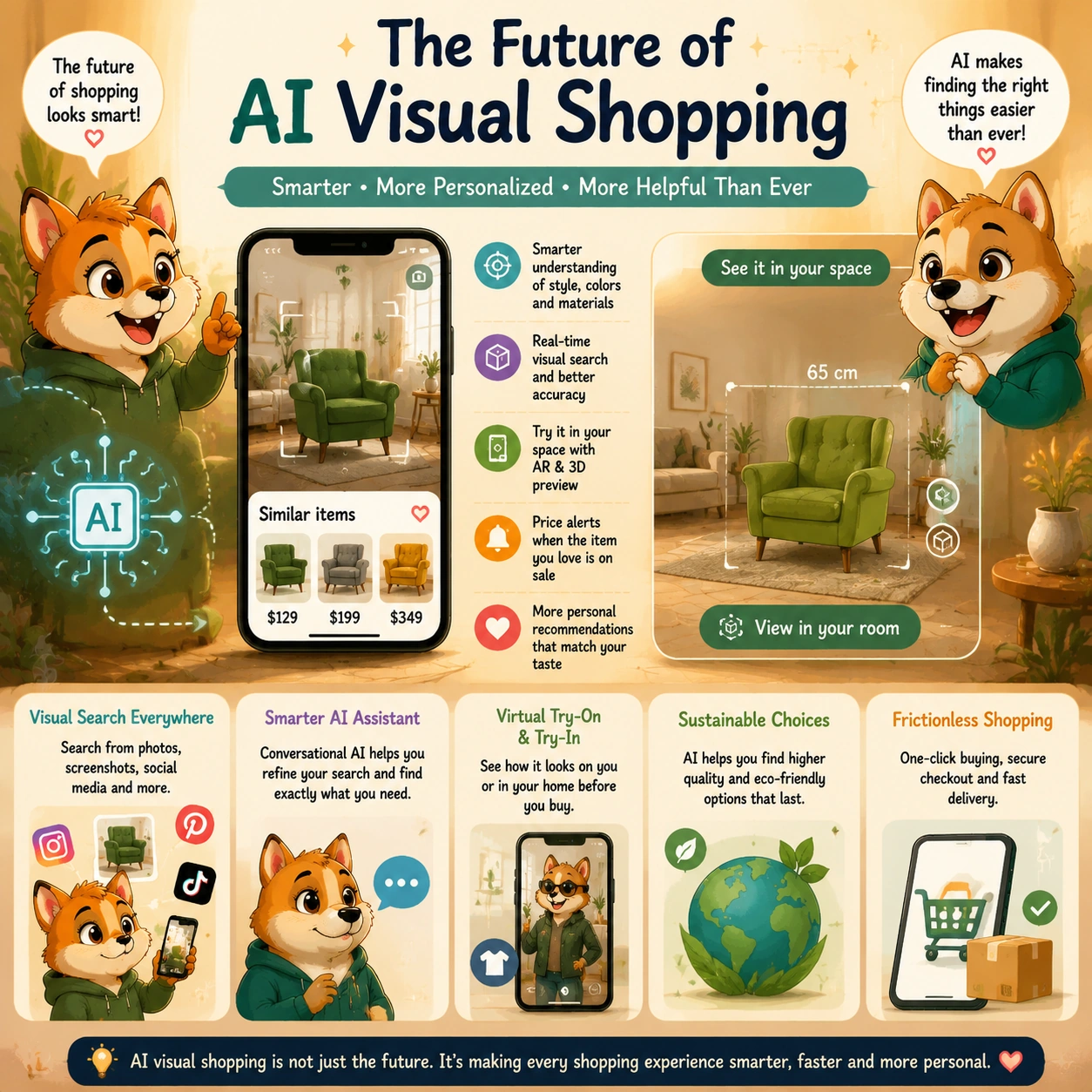
The future is not only about recognizing more objects in photos. It is about combining visual understanding with product data, natural-language questions, price tracking, augmented reality, personal preferences, and clearer explanations of why a product was recommended.
A stronger visual-shopping experience should help people discover products faster while still making it easy to compare materials, dimensions, reviews, availability, return policies, and total cost before they buy.
Visual Search Will Become More Conversational
Visual search is becoming less like a one-time image lookup and more like an ongoing shopping conversation. Instead of uploading a photo and receiving a basic list of similar products, shoppers will increasingly be able to ask follow-up questions that change the results in useful ways.
For example, someone may upload a photo of a cream sofa and then continue with requests such as:
- “Show similar sofas in dark green.”
- “Only include options under 90 inches wide.”
- “Find alternatives under $1,500.”
- “Which one has removable cushion covers?”
- “Show products that can arrive this month.”
- “Which option has the best reviews for durability?”
The image gives the assistant the style reference. The conversation adds the practical requirements that matter for the actual purchase.
Google has already expanded this type of multimodal search through Lens, which can combine an image with text to help people refine what they are looking for. Google’s visual shopping overview shows how shoppers can use an image as the starting point, then add text to narrow results by details such as color, pattern, or other product preferences.
More Shopping Searches Will Start With Screenshots and Camera Views
People increasingly discover products while watching videos, scrolling social media, browsing images, visiting stores, or looking at a real-world object. That means the future shopping search box may not always begin with typed keywords.
A shopper may see a lamp in a restaurant, a jacket in a TikTok video, a desk setup in a YouTube clip, or a handbag in an Instagram post. Instead of trying to explain what they saw using uncertain keywords, they may simply select the item on screen or point their camera at it.
This is especially useful for products that are difficult to describe precisely, including:
- Fashion and accessories
- Furniture and home decor
- Lighting and interior-design products
- Travel bags and luggage
- Beauty and lifestyle products
- Kitchen items and home gadgets
- Collectibles, gifts, and design-led products
As visual search improves, shoppers may be able to identify several items in one image, select only the product they care about, compare similar options, and save the results to a list for later.
Virtual Try-On Will Make Image Search More Practical
Finding a product visually is helpful, but many shoppers also want to know how it may look on them or in their space. This is where virtual try-on and augmented reality can make visual shopping more useful.
For fashion, shoppers may increasingly use AI tools to preview clothing, shoes, glasses, cosmetics, or accessories before ordering. Instead of looking at a product on a model and guessing whether it suits them, they may be able to upload an image, select a style, and view a more personalized preview.
Google introduced a virtual try-on shopping feature that lets eligible users upload a full-length photo and preview apparel styles from participating listings. Google’s guide to its virtual try-on tool explains that shoppers can use it to preview clothing from supported product listings and continue exploring similar styles.
For furniture and home decor, augmented reality can help shoppers judge scale and placement before buying. A person may be able to place a virtual chair, lamp, rug, table, or shelving unit in their room to see whether the item looks too large, too small, too dark, or out of proportion with the existing space.
These tools will not replace checking measurements. A virtual sofa can look good in a room preview while still being too wide for a doorway or too deep for the space. But visual previews can help shoppers eliminate unrealistic options before they spend time comparing them in detail.
AI Will Help Turn Inspiration Into Complete Shopping Plans
Future visual-shopping tools may do more than identify one product. They may help people turn an inspiration photo into a broader shopping plan.
For example, a shopper may upload an image of a home office and ask:
“Help me recreate this style for under $1,500. I already have a laptop, so I only need a desk, chair, monitor, lighting, and storage.”
The assistant could identify the visual direction, suggest products in several price ranges, explain trade-offs, and help the shopper build a shortlist.
Someone planning an outfit could upload a photo and ask:
“Find a similar jacket, shoes, and bag for a summer wedding, but keep the full outfit under $300.”
Instead of treating every item as a separate search, the assistant could help combine visual discovery with budget management, color coordination, delivery timing, and product comparison.
This could make visual shopping especially useful for projects that involve multiple connected purchases, such as furnishing a room, preparing for travel, building a home office, planning an event, or creating a wardrobe for a specific season.
Price Tracking May Become Part of Visual Discovery
Visual search can help a shopper find a product style they like, but they may not need to buy immediately. In the future, visual-shopping tools may make it easier to save the look, monitor similar products, and receive alerts when an option reaches a chosen price.
For example, someone may find several visually similar dining chairs but decide to wait until one falls below a specific budget. Another shopper may save a handbag style and ask to be notified when a comparable version becomes available in black or goes on sale.
Google has introduced shopping features that let users specify a preferred price for certain products and receive price alerts when listings fall within that target range. Google’s shopping update on virtual try-on and price alerts describes tools that combine product discovery with more specific price and preference tracking.
This could make visual shopping more useful for people who are not only looking for a product, but also looking for the right timing to buy it.
Better Product Data Will Determine How Useful Results Become
The future of AI visual shopping will depend heavily on product data. An assistant can recognize that a chair is green, curved, and upholstered, but it cannot create a useful buying recommendation without accurate information about dimensions, materials, price, availability, delivery, returns, and customer reviews.
Retailers that want their products to appear clearly in visual-shopping experiences will need complete, structured product information. That includes:
- Accurate titles and product categories
- High-quality product images from several angles
- Current pricing and availability
- Clear size, color, and variation information
- Dimensions, materials, and technical specifications
- Shipping and return details
- Verified review and rating information
- Compatibility requirements where relevant
Google’s ecommerce documentation notes that product structured data can help product information appear in richer ways across Google surfaces, including Google Images and Google Lens. Google’s Product structured-data documentation explains that eligible product information can include details such as price, availability, ratings, and shipping information.
This means visual shopping is not only an AI feature. It is also a product-data challenge. The better the data behind the image, the easier it is for shoppers to compare products with confidence.
Shoppers Will Expect Clearer Explanations
As AI visual search becomes more persuasive, shoppers will need clearer answers about why a product appeared in the results.
A trustworthy visual-shopping assistant should be able to explain whether an item was shown because it is:
- The closest visual match
- A lower-cost alternative
- Available in the requested color or size
- In stock with faster delivery
- Highly rated by customers
- Personalized using previous shopping behavior
- Sponsored or promoted by a retailer or brand
This matters because a visually similar product may not always be the best overall choice. A shopper may prefer a slightly less similar item that has better materials, easier returns, stronger reviews, or a lower final cost.
Instead of simply saying “Top match,” a useful tool could explain:
“This is the closest visual match to your image. It is available in your selected color and can arrive this week, but it costs more than two similar alternatives.”
That type of explanation gives the shopper enough context to decide whether visual similarity, price, quality, or delivery speed matters most.
Privacy and Image Use Will Need More Attention
Images can contain more information than shoppers expect. A photo may reveal part of a home, family members, location clues, personal belongings, private documents, or other details that are not needed for product search.
As visual-shopping tools become more common, shoppers will need clearer controls over how uploaded images are stored, whether they are used to personalize future recommendations, and whether they are retained for system improvement.
Before uploading a photo, it is worth considering whether the image includes information that can be cropped out. For example, someone searching for a chair can crop the photo around the chair instead of uploading a full living-room image that includes family photos, mail, screens, or other private details.
Trustworthy visual-shopping tools should explain:
- Whether uploaded images are stored
- How long images are retained
- Whether photos are linked to a customer account
- Whether images are used to improve the service
- How shoppers can delete uploaded images or search history
The future of visual shopping should make it easier to search what people see without asking them to give up control over what the system keeps.
AI Agents May Handle More of the Comparison Work
Visual-shopping systems may gradually become more proactive. Instead of only returning a product list, an assistant may help compare sellers, track stock, watch for price drops, identify alternatives when an item becomes unavailable, and prepare a cart for the shopper to review.
For example, a shopper may save an image of a travel backpack and tell the assistant:
“Find similar options under $180. Prioritize carry-on size, good laptop protection, strong reviews, and delivery before my trip next month.”
The assistant may eventually be able to monitor options over time and notify the shopper when a relevant product becomes available or reaches the target price.
However, the shopper should remain in control. A useful AI agent can reduce repetitive research, but it should not make important purchase decisions without clear approval of the final item, seller, price, delivery date, and payment method.
The Best Future Experience Will Combine Images, Text, and Human Judgment
AI visual search will likely make shopping faster and more natural because it allows people to start with what they can see instead of forcing them to know the right words first.
But the most useful future tools will not rely on images alone. They will combine visual understanding with text-based questions, verified product data, price comparisons, customer feedback, augmented-reality previews, and transparent explanations.
For shoppers, the ideal result is not simply finding a product that looks right. It is finding a product that also fits the budget, space, purpose, quality expectations, and delivery needs behind the purchase.
In the next section, we summarize the main role of AI visual search and explain how shoppers can use it to move from image-based inspiration to better-informed buying decisions.
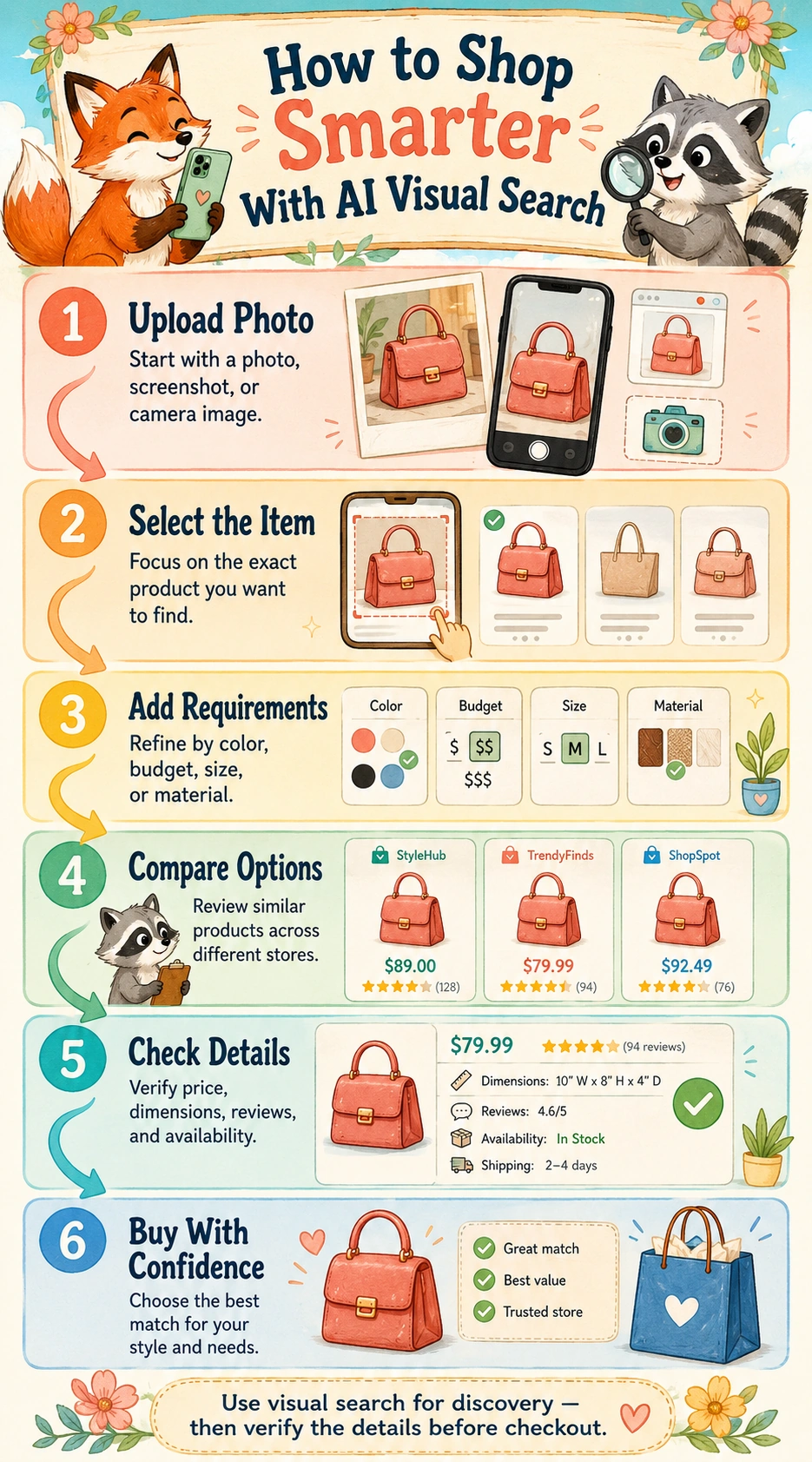
Conclusion
AI visual search for shopping makes it easier to move from inspiration to a realistic product shortlist. Instead of trying to describe a chair, handbag, jacket, lamp, or pair of sneakers with uncertain keywords, shoppers can start with a photo, screenshot, or camera view and search from what they can actually see.
That makes visual search especially useful for fashion, accessories, furniture, home decor, and other categories where style, shape, color, and overall appearance matter. It can help identify exact products, find similar items, compare lower-cost alternatives, and refine results by practical details such as budget, size, material, delivery time, and retailer.
However, visual similarity should never be treated as proof that two products are equal. Items that look nearly identical can differ in dimensions, materials, durability, fit, compatibility, seller reliability, warranty coverage, return policies, and total cost. A product image can help discover an option, but the official product page is still where shoppers need to verify the details that affect the final decision.
The best way to use AI visual search is to combine an image with clear follow-up questions. Start with the product style you like, then narrow the results using the requirements that matter in real life. Ask for alternatives within your budget, compare several price levels, check measurements, review customer feedback, and confirm current stock and delivery information before checkout.
Visual search also works best alongside traditional product search. Use an image when you know the look but not the product name. Then switch to text-based search and comparison when you need to confirm specifications, compatibility, materials, warranties, or return conditions.
As AI visual shopping becomes more conversational, it will likely combine image recognition with product data, price alerts, virtual try-on, room previews, and more personalized comparisons. The most useful tools will not simply show products that look similar. They will help shoppers understand why an option was recommended, what trade-offs exist, and which details still need to be checked before buying.
The real value of AI visual search is not that it replaces shopper judgment. It is that it reduces the time between “I like this” and “I found a product that actually fits my needs.” Explore more practical guides on AI Shopping Assistant to learn how AI is changing product discovery, ecommerce search, recommendations, and smarter online buying decisions.
Frequently Asked Questions
What is AI visual search for shopping?
AI visual search for shopping is a tool that helps people find products using a photo, screenshot, camera image, or selected object instead of starting with a keyword. It can identify an exact item, recognize the product category, or suggest visually similar alternatives.
For example, someone can upload a photo of a chair, handbag, jacket, or lamp and ask for similar products in a different color, price range, size, or material.
How does AI visual search work?
AI visual search analyzes visible features in an image, such as shape, color, pattern, style, material appearance, and product category. It then compares those features with product images and catalog data to find exact matches or similar products.
Many tools also let shoppers add text after uploading an image. For example: “Find sofas like this under $1,500,” or “Show similar sneakers in wide fit.”
Can AI visual search find the exact product from a photo?
Sometimes. Exact matches are more likely when the image is clear and includes a visible logo, distinctive pattern, product label, or unusual design detail.
However, visual search may also return similar versions, older models, alternative colors, or products from different sellers. Before buying, check the official product name, model number, dimensions, specifications, and seller information.
Can visual search find cheaper alternatives?
Yes. One of the most useful features of AI visual search is finding products with a similar style at different price levels. A shopper can upload an image and ask for alternatives under a chosen budget.
For example, someone may search for a chair with a similar shape under $300, a handbag in the same style under $150, or a lower-cost version of a sofa seen in an interior-design photo.
Is AI visual search useful for fashion?
Yes. It can be especially useful for clothing, shoes, handbags, jewelry, sunglasses, and accessories because shoppers often recognize a style before they know the correct name for it.
You can upload a screenshot of an outfit or product and refine the results by size, color, material, price, fit, brand, or delivery date. Still, always check sizing charts, garment measurements, reviews, and return conditions before ordering.
Can AI visual search help find furniture and home decor?
Yes. Visual search is useful for furniture and decor because many people begin with a room image, hotel photo, Pinterest post, or social-media screenshot rather than a product name.
It can help find similar sofas, chairs, tables, rugs, lamps, mirrors, artwork, and storage furniture. Add practical details such as room dimensions, preferred material, color, budget, and delivery needs to avoid results that only look right but do not fit your space.
What is the difference between visual search and reverse image search?
Reverse image search is often used to find the source of an image or other webpages containing a similar image. AI visual search for shopping is more focused on product discovery.
It is designed to identify products, find visually similar alternatives, compare prices, refine results by practical details, and help shoppers move toward a buying decision.
Can AI visual search tell whether a product is high quality?
Not reliably from appearance alone. A product may look similar to a premium item while using different materials, construction, components, or quality controls.
Use visual search to discover possible products, then check the official description, materials, dimensions, customer reviews, warranty, seller reputation, and return policy before deciding.
Can visual search confirm product compatibility?
No. A visual match is not enough for compatibility-sensitive products such as chargers, batteries, phone cases, appliance filters, vehicle parts, camera accessories, or replacement components.
Always confirm the exact model number, connector type, dimensions, voltage, supported-device list, or manufacturer compatibility information before buying.
How can I get better AI visual search results?
Use a clear, well-lit image that focuses on one product. Crop out unnecessary background objects when possible, then add useful details in text.
For stronger results, include your preferred budget, color, size, material, retailer, delivery deadline, and any practical requirements. For example:
“Find chairs with a similar curved shape in dark green velvet, under $400, no more than 34 inches wide, and available for delivery this month.”
Is it safe to upload photos to AI visual shopping tools?
It depends on the tool and its privacy practices. Before uploading an image, check whether photos are stored, linked to your account, used for personalization, or retained to improve the service.
Crop images when possible to remove private details such as faces, addresses, mail, screens, family photos, or other information unrelated to the product you want to search for.
Should I trust the first product shown by visual search?
Not automatically. The first result may be the closest visual match, but another option may have a better price, stronger reviews, easier returns, better materials, or faster delivery.
Compare at least two or three realistic options, especially for expensive purchases. Ask for lower-cost, mid-range, and premium alternatives so you can understand the trade-offs before buying.
Will AI visual search replace normal product search?
No. Traditional text search remains important when shoppers know the exact brand, model number, SKU, technical requirement, or compatibility code they need.
Visual search works best when someone knows the look of a product but not the name. The strongest shopping process often combines both: use an image for discovery, then use text-based search and product pages to verify the details.