

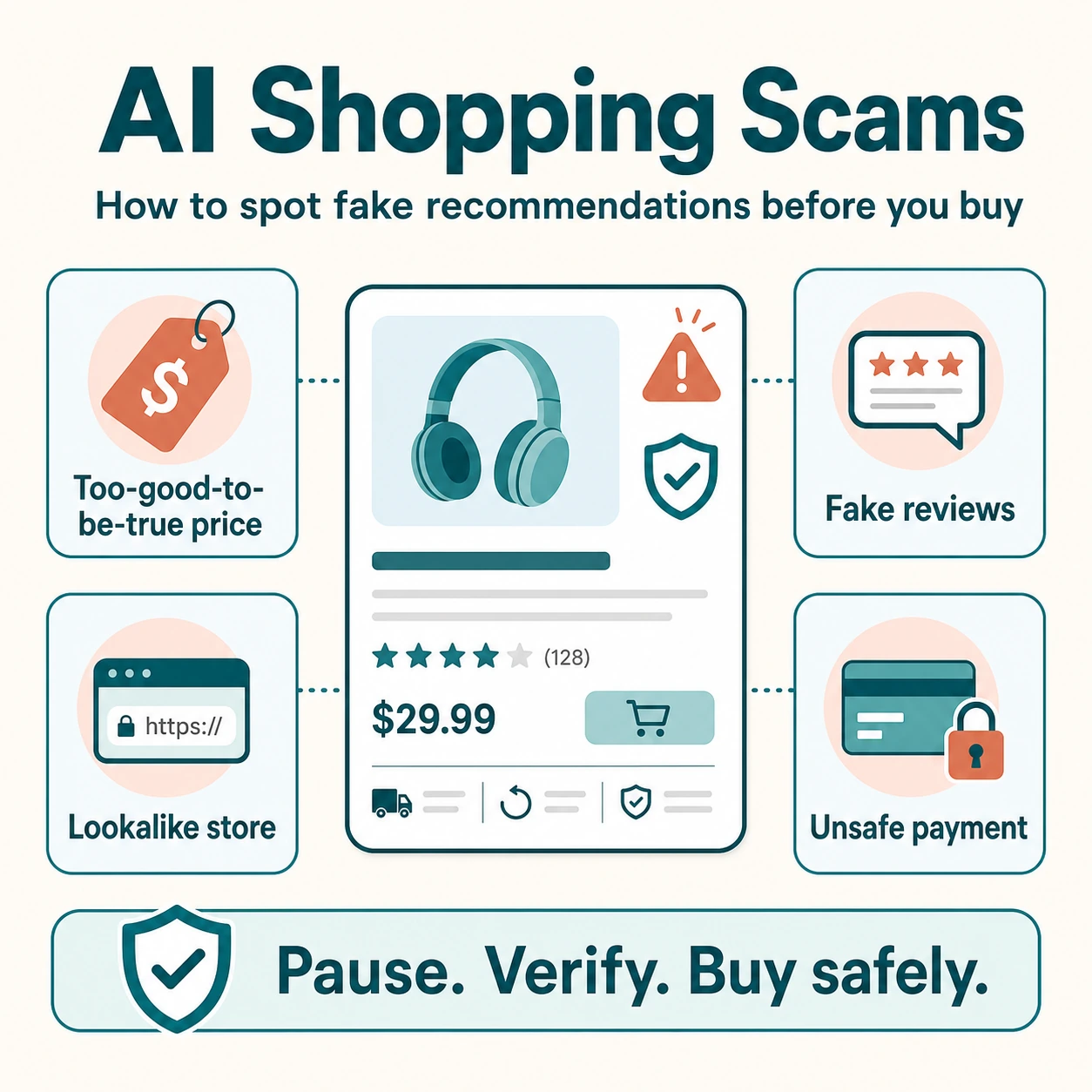
AI shopping scams are becoming harder to recognize because misleading product recommendations can now look polished, personalized, and trustworthy. A convincing chatbot reply, a realistic product image, or a glowing review does not automatically mean that the product, seller, or offer has been independently verified.
AI can make online shopping faster by helping people compare products, summarize reviews, and discover relevant options. But the same technology can also be used to create fake storefronts, misleading ads, fabricated testimonials, and product descriptions that sound credible while hiding important details. The risk is not that every AI recommendation is a scam—it is that shoppers may trust a recommendation before checking the seller, price, product information, and payment method.
This guide explains how to spot fake AI shopping recommendations, identify common warning signs, verify an online store before buying, and use AI shopping tools more safely. For broader guidance on responsible AI use while shopping, explore our AI Shopping Safety & Privacy resources.
How Can You Spot an AI Shopping Scam?
You can spot many AI shopping scams by checking whether the recommendation can be verified outside the AI tool, ad, or chat window that showed it to you. Before buying, confirm that the seller is legitimate, the product details are consistent, the price is plausible, the reviews come from more than one source, and the payment method offers buyer protection.
A fake AI shopping recommendation often relies on urgency, unusually low prices, vague product information, copied images, or a link to an unfamiliar store. It may sound highly personalized—“This is the best deal for you”—without explaining why the product is suitable or providing reliable information about the seller.
| More trustworthy signal | Possible scam signal |
|---|---|
| The recommendation links to a known retailer or official brand website | The link leads to an unfamiliar domain with an unusual name or spelling |
| Product details, price, stock, and return policy can be verified | Important details are missing, inconsistent, or only visible after payment |
| Reviews are varied and available from independent sources | Reviews are overly similar, vague, or all extremely positive |
| The seller offers a standard protected payment method | The seller asks for bank transfer, cryptocurrency, gift cards, or payment outside the platform |
| The offer gives you time to check it | A countdown, pop-up, or message pressures you to act immediately |
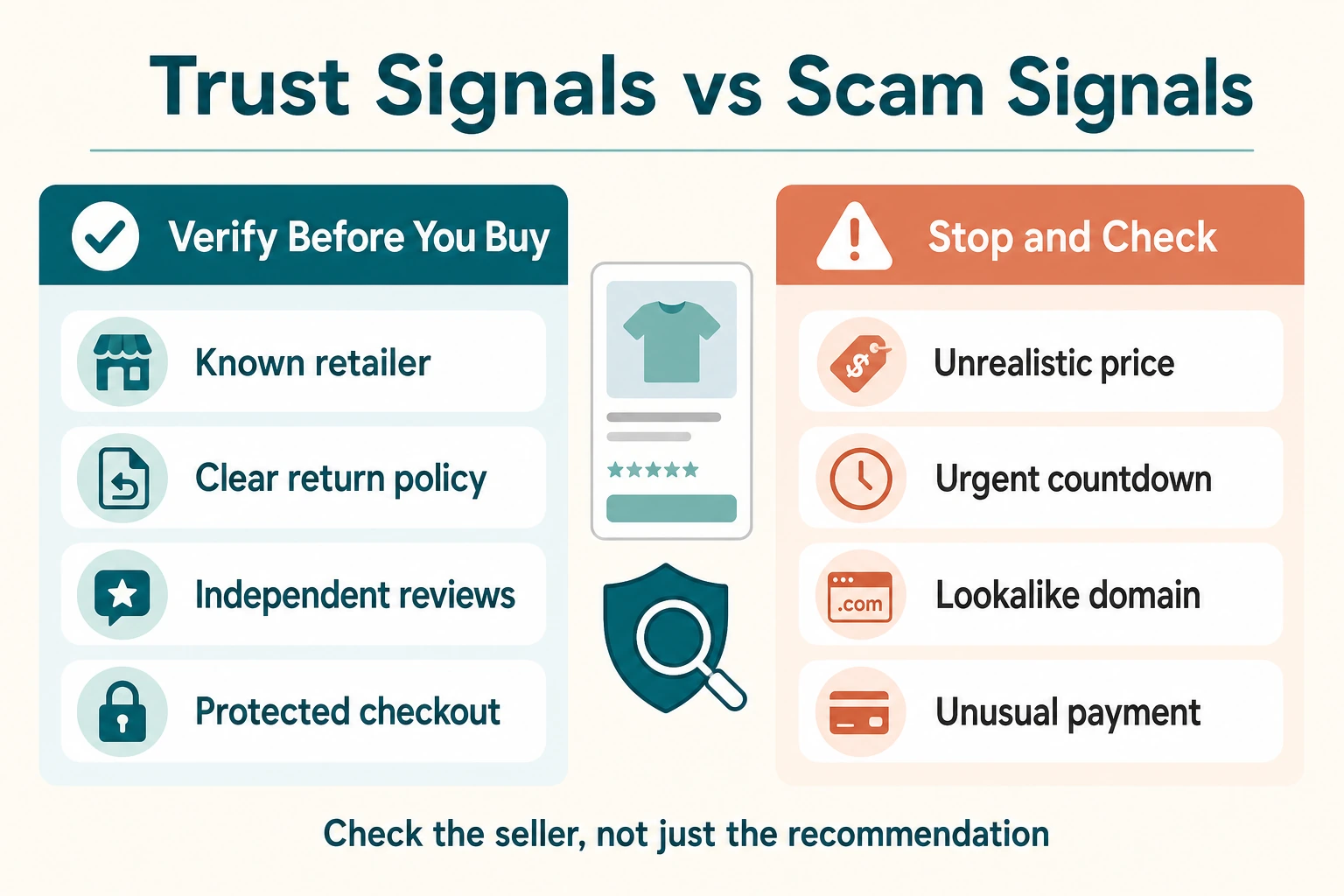
The safest rule: treat AI recommendations as a starting point for research, not as proof that a product or store is trustworthy. A legitimate recommendation should remain credible after you verify it independently.
What Is a Fake AI Shopping Recommendation?
A fake AI shopping recommendation is a product suggestion, review, comparison, or “best deal” claim that appears trustworthy but cannot be supported by reliable information. It may be created with generative AI, copied from another source, or presented through a chatbot, ad, social-media post, comparison page, or fake online store.
Not every incorrect AI answer is a scam. An AI tool can make an honest mistake, rely on outdated information, or misunderstand a product request. A scam becomes more likely when deceptive content is used to push shoppers toward a fake store, collect payment or personal information, hide an affiliate relationship, or create false confidence in a product that does not exist or is not as described.
| Situation | What it means | What to do |
|---|---|---|
| An AI tool recommends a real product with an outdated price | Potentially inaccurate information, not automatically fraud | Check the current price and availability on the retailer’s website |
| An ad uses AI-generated text to promote a real product | Marketing content that still needs verification | Check the seller, product page, reviews, and return policy |
| A recommendation links to a lookalike store with unrealistic discounts | Possible deceptive or fraudulent shopping experience | Do not pay until you verify the website and seller independently |
| Reviews or testimonials appear fabricated or copied | Possible attempt to create false social proof | Look for independent reviews and detailed customer feedback elsewhere |
In short: a trustworthy recommendation gives you enough information to verify the product and seller yourself. A suspicious one tries to replace verification with urgency, vague promises, or artificial trust signals.
Why AI Makes Online Shopping Scams Harder to Spot
AI does not create every online shopping scam, but it can make deceptive content faster to produce, easier to personalize, and more convincing at first glance. The European Commission notes that AI is making scams harder to detect, which is why shoppers should verify important claims instead of relying on how polished a recommendation appears.
More Convincing Product Copy
Generative AI can produce product descriptions, comparison articles, and chatbot responses that sound detailed and confident. A page may explain features, benefits, and use cases in fluent language while still providing no evidence that the seller is real, the product exists, or the claims are accurate.
Realistic Images and Videos
Images can make a listing feel legitimate, but they are not proof that a product is real or available. A deepfake is manipulated or generated media designed to look real. In online shopping, AI-generated or heavily edited images can make a low-quality, different, or nonexistent product appear more attractive than it is.
Fake Reviews and Social Proof at Scale
AI can also help create large volumes of reviews, testimonials, comments, and social-media posts that appear independent. These messages may repeat similar phrases, focus only on praise, or use vague claims without describing real product details, delivery experiences, or verified purchases.
More Personalized Pressure
A scam message can be tailored to a shopper’s interests, recent searches, or product category. For example, it may claim that a specific item is “perfect for you,” “selling out fast,” or available through an exclusive discount. Personalization can make the message feel relevant, but it does not make the offer trustworthy.
Lookalike Stores and Brand Impersonation
Fraudulent stores can copy logos, product photos, page layouts, and brand language from legitimate retailers. AI-generated text makes it easier to fill these sites with convincing descriptions, FAQs, policies, and reviews. The most important check is not whether a page looks professional—it is whether the seller, domain, contact details, and payment process can be independently verified.
Key takeaway: AI can improve presentation, but presentation is not evidence. Verify the seller and the product before you trust the recommendation.
7 Red Flags of Fake AI Shopping Recommendations
A single warning sign does not always prove that a recommendation is fraudulent. Several warning signs together, however, should make you pause and verify the seller before you buy.
1. The Price Is Far Below Every Other Store
A large discount can be legitimate, especially during a real sale. But if a product is dramatically cheaper than the same item from established retailers, check whether the seller is authorized, whether the item is actually in stock, and whether the advertised price applies to the exact version of the product.
2. The Recommendation Creates Immediate Pressure
Messages such as “only two left,” “offer ends in five minutes,” or “buy now before this deal disappears” are designed to shorten the time you spend checking. Do not let a countdown or pop-up replace basic verification.
3. The Website Address Looks Almost Right
Lookalike domains may add a word, hyphen, number, or unfamiliar ending to imitate a known brand. Check the full website address carefully rather than relying on a logo, page design, or product photo.
4. Important Seller Details Are Missing
Trustworthy stores usually provide clear contact information, company details, delivery information, return terms, and a privacy policy. Be cautious when a site has only a contact form, a generic email address, or policies that are incomplete, copied, or difficult to find.
5. Product Images and Descriptions Do Not Match
Check whether the photos, title, specifications, dimensions, and included items all describe the same product. A listing that uses beautiful images but vague or contradictory details may be copied from another store or created without access to the real item.
6. Reviews Sound Repetitive or Unrealistically Perfect
Be skeptical when many reviews use almost identical wording, offer no specific details, appear within a short period, or give only five-star praise. The FTC recommends evaluating reviews across multiple sources rather than relying on a single star rating or testimonial section.
7. The Seller Pushes an Unprotected Payment Method
Be careful if a seller asks you to pay by bank transfer, cryptocurrency, gift card, payment app transfer to an individual, or a method outside the marketplace where you found the product. These payments can be difficult or impossible to reverse if the item never arrives.
Use the pattern, not just one signal: a suspicious domain, an unrealistic price, copied product details, fake-looking reviews, and urgent payment pressure together create a much stronger reason to stop and investigate.
How to Verify a Product, Store, and Recommendation Before You Buy
Verification does not need to take long. A few focused checks can reveal whether a recommendation leads to a real product from a credible seller—or whether it relies mainly on urgency and appearance.
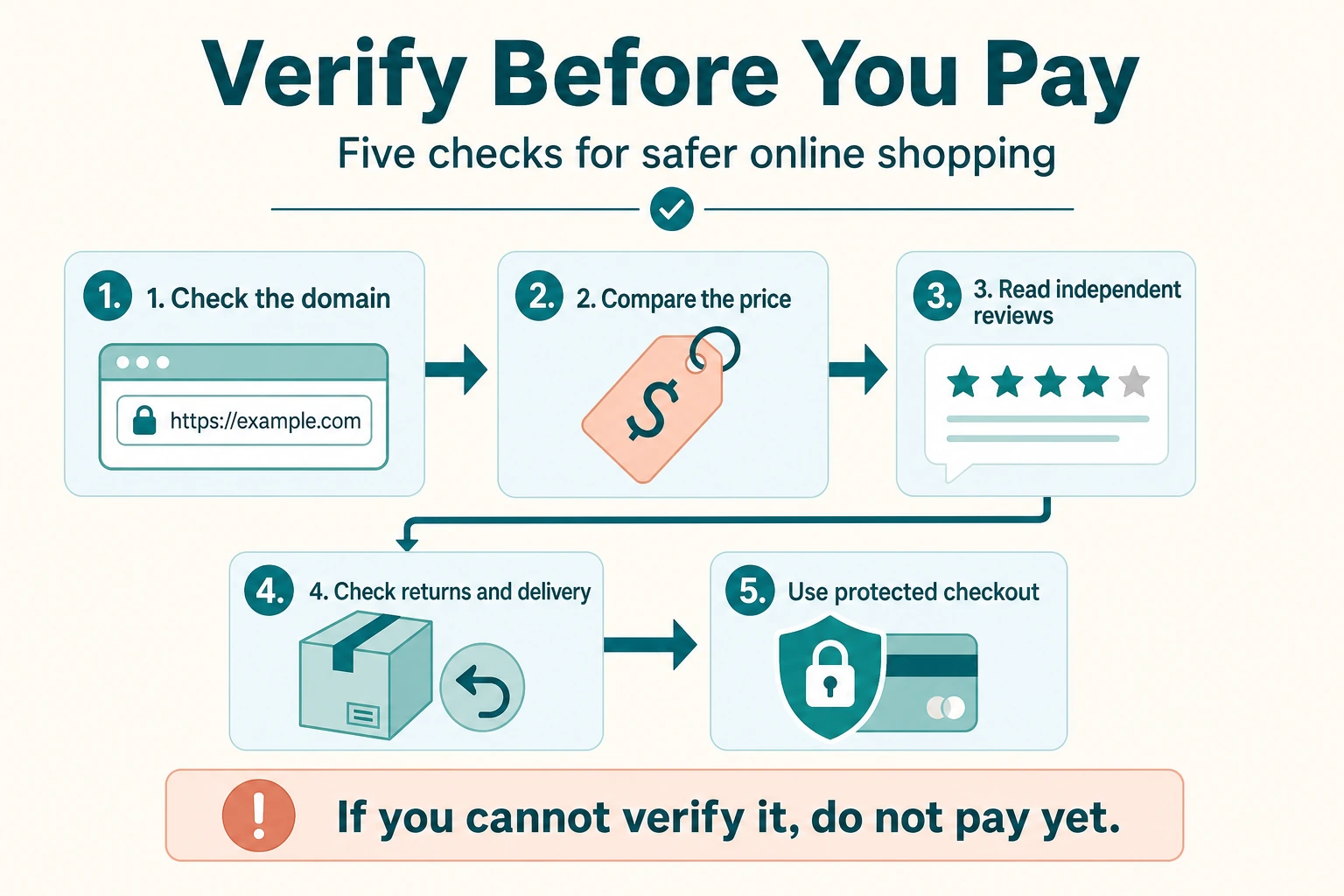
- Open the store directly, not only through the ad or chatbot link.
Type the retailer’s known website address into your browser or search for the official brand site. This makes it easier to spot a lookalike domain or a misleading link. - Check the seller’s identity and contact details.
Look for a real business name, contact information, return policy, delivery information, and privacy policy. Missing or vague information is a reason to investigate further. - Compare the product and price across multiple sources.
Search for the same product name, model number, or specifications on established retailers and the brand’s official website. A recommendation is more credible when its core details can be confirmed elsewhere. - Search for complaints before you pay.
Search the store or product name alongside terms such as “scam,” “complaint,” or “reviews.” The FTC’s online shopping guidance also recommends checking reviews across a variety of retailer, review, search, app-store, and social-media sources. - Read the return, refund, and delivery terms.
Check whether the policy explains where items ship from, estimated delivery times, return conditions, and who pays for return shipping. Do not rely on a short promise in an ad or chatbot response. - Use a payment method with meaningful buyer protection.
Avoid sellers that insist on irreversible or difficult-to-reverse payments. Be especially cautious if the requested payment method does not match the platform where you found the product.
| Check | What you want to see | Reason to pause |
|---|---|---|
| Website address | A known brand domain or a consistent, established store identity | Misspellings, extra words, unusual domain endings, or a recently created-looking site |
| Product details | Specific model, dimensions, materials, features, and delivery information | Vague claims, copied text, or contradictions between title, images, and description |
| Reviews | Detailed feedback from more than one independent source | Only perfect reviews, repeated wording, or no reviews outside the seller’s site |
| Payment | A standard checkout process with clear order confirmation | Requests to pay by transfer, crypto, gift card, or an off-platform message |
For additional safe-shopping habits, the CISA safe online shopping guidance recommends being cautious with unexpected messages and avoiding links or requests that cannot be verified independently.
How to Spot Fake Reviews, Images, and Product Claims
Reviews, product photos, and marketing claims can help you compare options—but they should not be treated as proof on their own. The goal is not to decide whether every review or image is fake. It is to look for consistency across several independent signals before you spend money.
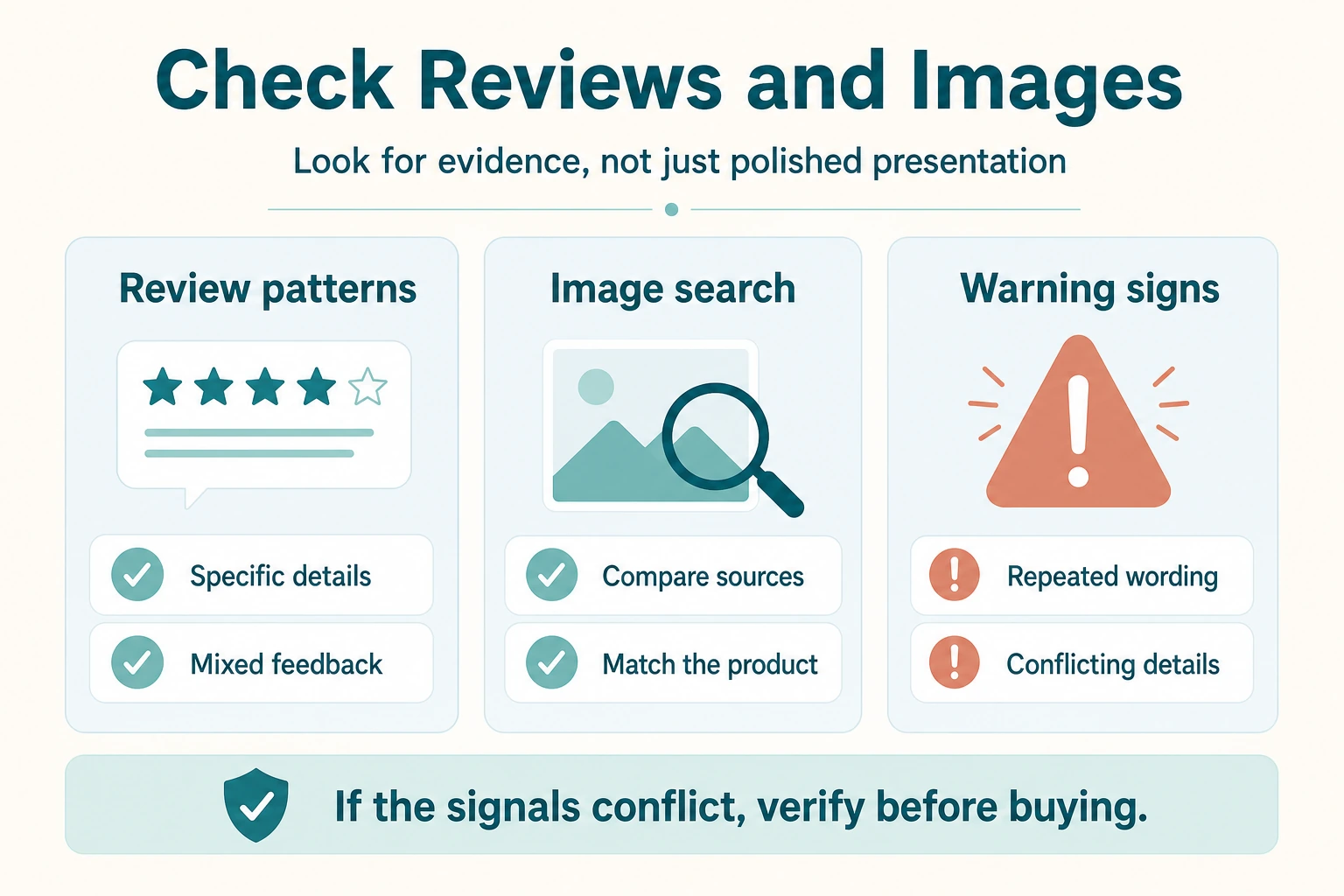
Look for Specific, Varied Reviews
Authentic reviews usually vary in length, tone, and detail. They often mention a specific use case, size, delivery experience, limitation, or comparison with another product. Be cautious when many reviews use the same phrases, repeat broad praise, or appear to have been written in a short period of time.
Fake reviews can be created by people or generated with AI. The FTC’s rule on fake reviews and testimonials specifically addresses reviews that misrepresent a real customer experience, including reviews attributed to people who do not exist or did not use the product.
Check Whether Product Images Appear Elsewhere
If an image looks unusually polished, generic, or unrelated to the product details, search for it elsewhere. You can use Google Lens to search with an image and see whether the same photo appears on other stores, marketplaces, or manufacturer pages.
Finding the same image elsewhere does not automatically prove fraud. Many legitimate sellers use manufacturer images. However, it is a warning sign if the same image is associated with different product names, prices, specifications, or unrelated stores.
Compare Product Claims With the Manufacturer’s Information
Check important claims—such as compatibility, safety certifications, materials, warranty coverage, dimensions, battery life, or included accessories—against the official manufacturer page when one exists. Be careful with vague promises such as “doctor approved,” “guaranteed results,” “premium quality,” or “best on the market” when no evidence is provided.
Watch for Review Hijacking
Sometimes a seller may attach reviews from a popular product to a different listing, or change the product while keeping the old review history. Check whether the reviews actually describe the item you are viewing. A review about a blue backpack should not be treated as evidence for a new listing that now sells headphones or a different model.
| What to check | More reassuring sign | Reason to investigate further |
|---|---|---|
| Reviews | Specific, mixed feedback from different sources | Identical wording, only five-star ratings, or no detail |
| Images | Images match the product title, specifications, and official product information | Images appear on unrelated listings or show details missing from the description |
| Claims | Claims can be confirmed by the manufacturer, documentation, or independent testing | Broad promises with no source, evidence, or precise explanation |
| Review-product match | Reviews clearly discuss the exact item and variant shown | Reviews describe a different product, color, category, or feature set |
Practical rule: if the reviews, images, and product claims do not tell the same consistent story, do not rely on the recommendation until you can verify the product elsewhere.
How to Use AI Shopping Tools More Safely
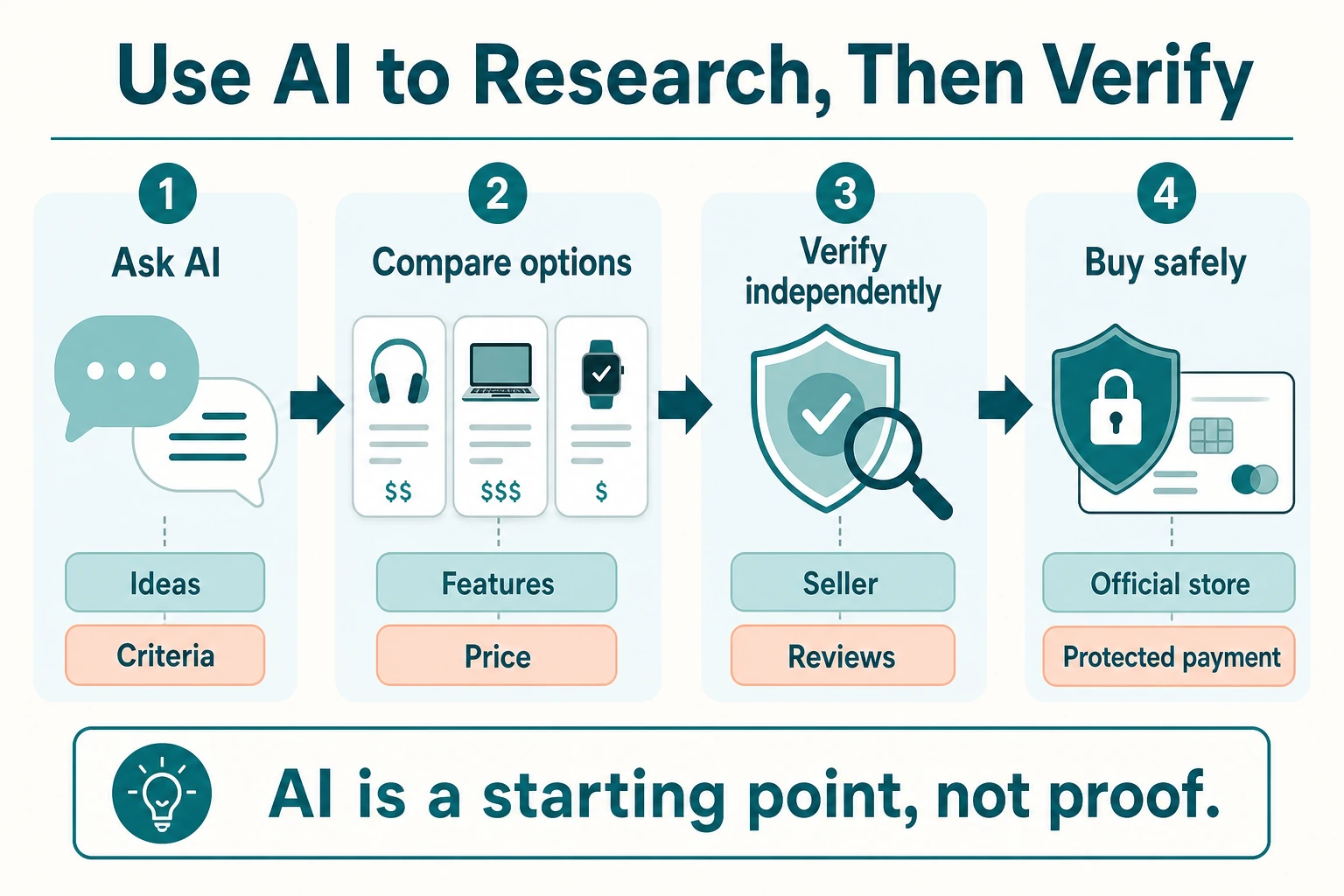
AI shopping tools can be useful for brainstorming, comparing features, summarizing long product pages, and finding alternatives. The safest approach is to use AI as a research assistant—not as the final authority on whether a seller, product, price, or offer is legitimate.
Ask for Criteria, Not Just “The Best Product”
Broad prompts can produce broad answers. Instead of asking for “the best headphones” or “the best deal,” explain the budget, intended use, important features, size requirements, and any products you want to avoid. Then verify the recommended options yourself.
Ask the Tool to Explain Its Recommendation
A helpful recommendation should identify the criteria behind it: price, features, dimensions, compatibility, availability, or customer feedback. If an AI tool cannot explain why it suggests a product, treat the result as an idea to investigate rather than a buying decision.
Open the Official Product Page Before Paying
Do not buy directly from a link simply because it appeared in a chatbot response, social-media post, or AI-generated comparison. Open the official brand or retailer page, check the full product details, and confirm that the checkout process belongs to the seller you intended to use.
Do Not Share Sensitive Information in a Chat
Do not enter passwords, full payment-card numbers, banking credentials, government identification, or account recovery codes into an AI chat. A shopping assistant may need general preferences such as budget or product size, but it should not require sensitive financial or identity information to recommend a product.
Use AI to Compare, Then Verify Independently
AI can help you create a shortlist or identify questions to ask, but use independent sources to confirm important claims. Compare the product on the manufacturer’s site, established retailers, and detailed reviews before you make a high-value purchase.
Be Extra Careful With AI Chatbot Links
When an AI chatbot recommends a product, verify where the link leads before you enter payment details. Legitimate AI chatbots for ecommerce should help shoppers understand products and navigate to clear product pages—not pressure them into off-platform payments or ask for unnecessary personal data.
A safer workflow: use AI to identify options, use trusted sources to verify them, and use a protected checkout method only when you are confident about the seller.
What to Do If You Think You Found an AI Shopping Scam
If something feels wrong, stop before you buy. Do not let urgency, a disappearing offer, or a persuasive recommendation push you into making a payment before you have checked the seller and product.
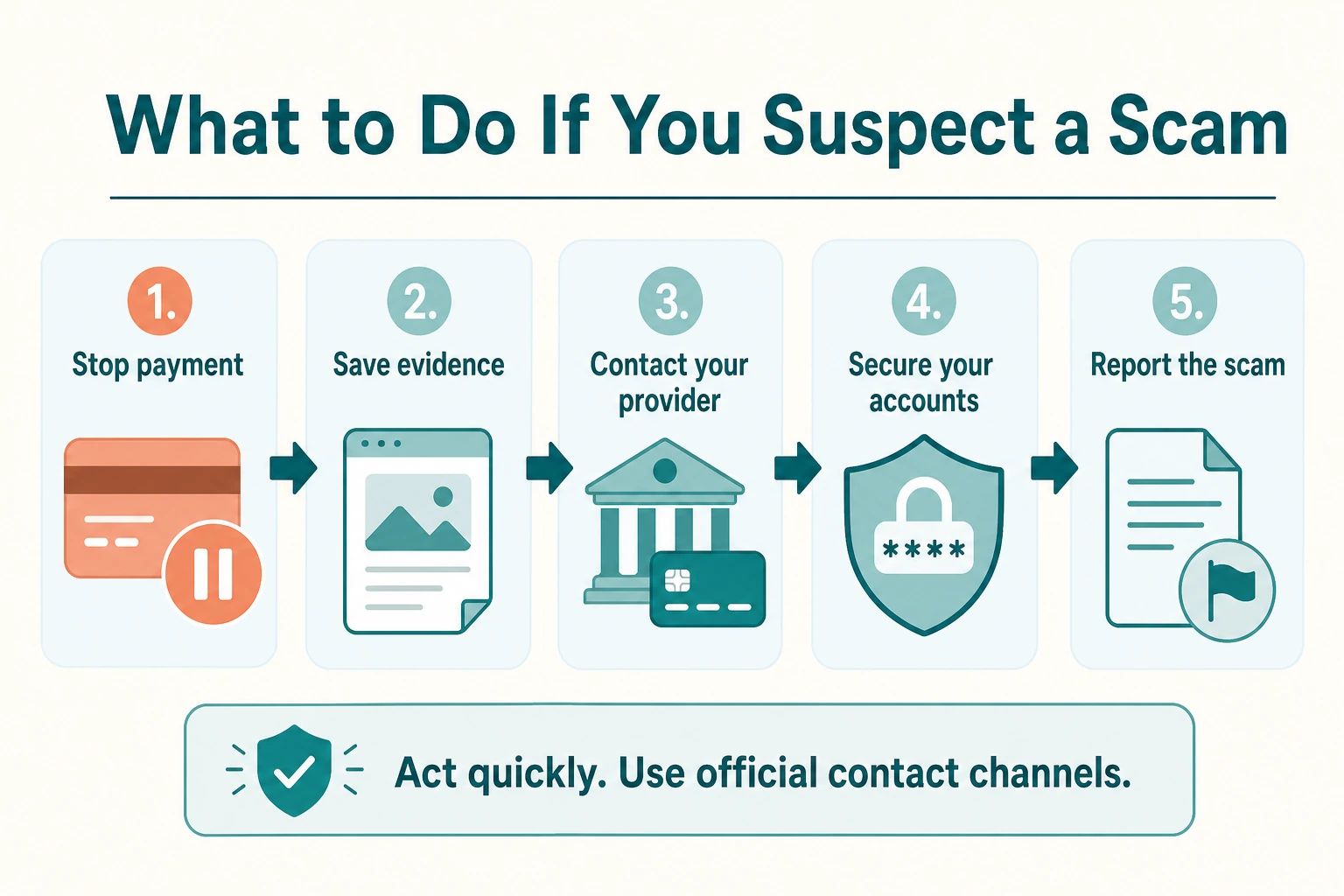
- Do not send money or share more information.
Close the page or conversation if the seller is asking for sensitive information, unusual payment methods, or immediate action. - Save the evidence.
Take screenshots of the product page, ad, chatbot response, seller profile, messages, order confirmation, and payment request. Save the website address and any emails or messages connected to the transaction. - Contact your payment provider promptly if you already paid.
Contact your bank, card issuer, payment service, or marketplace through its official website or app. Explain what happened and ask what options are available for reporting the transaction or disputing the charge. - Change passwords if you entered account details.
If you used the same password elsewhere, change it there too. Turn on multi-factor authentication where it is available. - Report the content where you found it.
Report suspicious ads, listings, reviews, profiles, or messages to the marketplace, social platform, search engine, or AI tool involved. Reporting helps platforms investigate and can reduce the chance that others see the same scam. - Report the incident to the appropriate authority in your country.
Consumer-protection, fraud-reporting, and law-enforcement processes differ by location. Use an official national authority website rather than a link sent by the suspected seller.
The European Supervisory Authorities’ consumer guidance recommends pausing before acting, verifying the source of messages, and never sharing personal or banking information in response to suspicious requests.
Important: acting quickly can matter after a payment or account compromise, but do not return to the suspicious message, website, or phone number to seek help. Contact your bank, platform, or relevant authority through contact details you find independently.
What Trustworthy Ecommerce Stores Should Do
Safer online shopping is not only the customer’s responsibility. Ecommerce stores that use AI for search, recommendations, chat, or marketing should make it easy for shoppers to understand who they are buying from, why a product is being suggested, and where to get help if something goes wrong.
Keep Product Information Accurate and Current
Prices, availability, dimensions, specifications, delivery estimates, and return terms should match what the shopper sees at checkout. AI tools should use current catalog data and should not invent product claims when information is missing.
Make AI Use Transparent
Shoppers should be able to tell when they are interacting with a chatbot or receiving an automated recommendation. Stores do not need to overwhelm visitors with technical details, but they should avoid presenting automated advice as independent human expertise.
Explain Recommendations When Possible
Useful recommendations should include a clear reason, such as compatibility, price range, stated preferences, product features, or availability. “Recommended for you” is more trustworthy when the shopper can understand the criteria behind it.
Provide Clear Support and Return Paths
Visible contact details, accessible support, straightforward return information, and clear order tracking make it easier for shoppers to resolve problems. A chatbot should also offer a clear handoff to human support when it cannot answer accurately.
Protect Customer Data
Stores should collect only the information needed to serve the shopper and should explain how personal data is handled. Sensitive payment information should stay within secure checkout systems, not be requested in chat or through unsolicited messages.
Trustworthy AI shopping experiences make verification easier, not harder. For more on privacy, accuracy, and responsible use, read our guide: Is AI Shopping Safe?
Frequently Asked Questions About AI Shopping Scams
Can AI shopping recommendations be trusted?
AI shopping recommendations can be useful for finding ideas, comparing features, and creating a shortlist. They should not be treated as proof that a seller, product, price, or offer is legitimate. Verify important details on official brand or retailer websites before you buy.
Can AI generate fake product reviews?
Yes. AI can generate review-like text that sounds specific and persuasive even when it does not reflect a real customer experience. Look for reviews from multiple sources, check whether they discuss the exact product, and be cautious when the wording is repetitive or unrealistically positive.
How do I know whether an online store is legitimate?
Check the website address, company information, contact details, return policy, delivery terms, independent reviews, and payment options. Compare the seller with the official brand website or established retailers, especially when the price seems unusually low.
Should I buy from a store recommended by an AI chatbot?
You can consider the recommendation, but verify the store before paying. Open the retailer’s website independently, confirm the product details and price, and avoid sellers that pressure you to use an unusual payment method or share sensitive information.
What payment methods are safer for online shopping?
Use payment methods that provide clear transaction records and a defined process for reporting unauthorized or disputed purchases. Be cautious when a seller insists on payment methods that are difficult to reverse or requests payment outside the platform where you found the item.
What should I do if I paid an online shopping scam?
Contact your bank, card issuer, payment provider, or marketplace promptly through its official website or app. Save screenshots and transaction details, change passwords if you entered account information, and report the suspicious listing or message to the relevant platform and authority.
Conclusion: Use AI to Research, Then Verify Before You Buy
AI can make online shopping more efficient by helping you discover products, compare options, and understand features. But a polished recommendation, realistic image, or confident chatbot response is not a guarantee that a product, seller, or offer is legitimate.
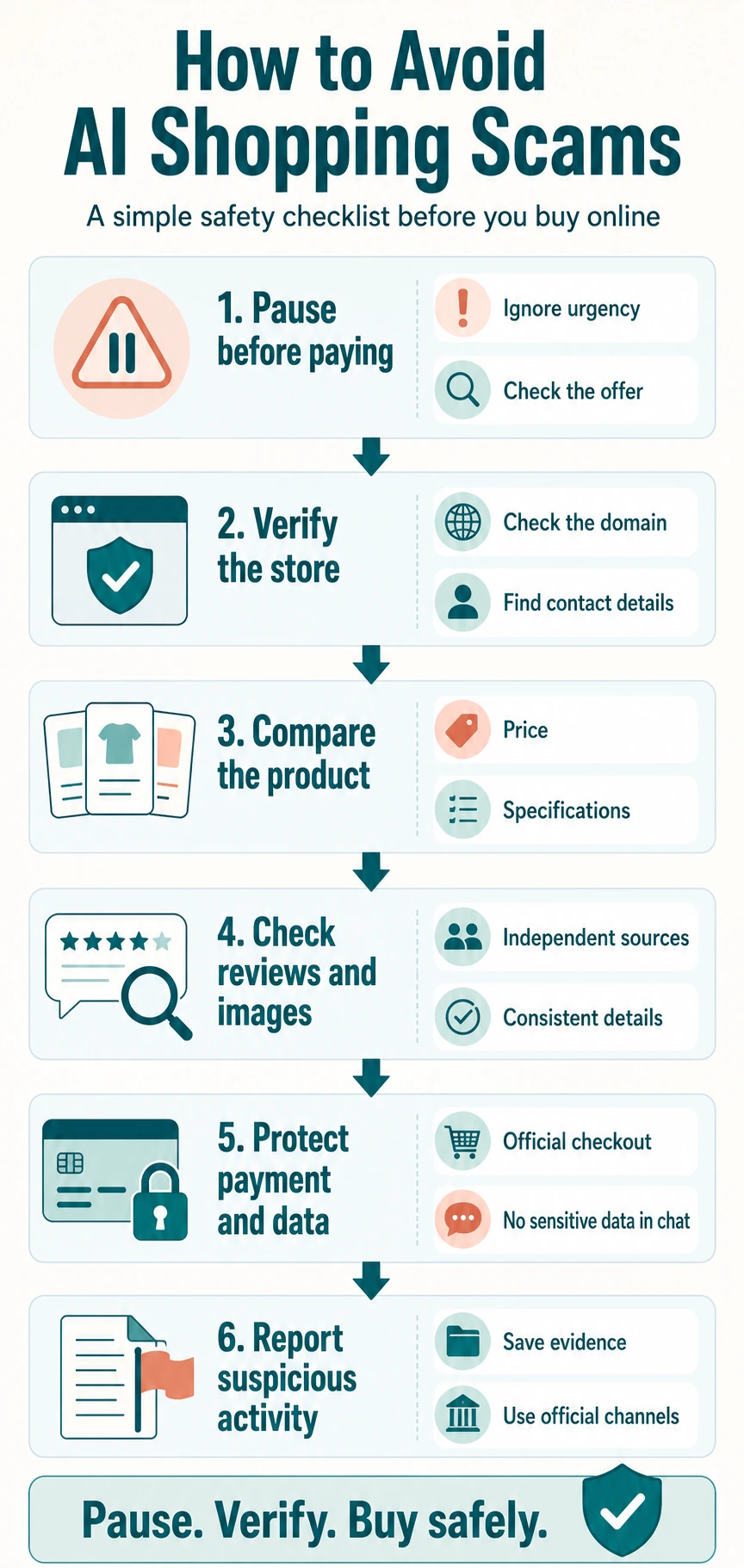
The safest habit is simple: pause before paying. Check the seller independently, compare the product and price across reliable sources, review the return terms, and use a payment method with clear transaction records and buyer protections. If something feels rushed, vague, or unusually cheap, treat that as a reason to verify—not a reason to buy faster.
Use AI as a helpful starting point for product research, while keeping the final decision grounded in evidence you can check yourself. Explore more practical guides on AI Shopping Assistant for safer, smarter online shopping.