


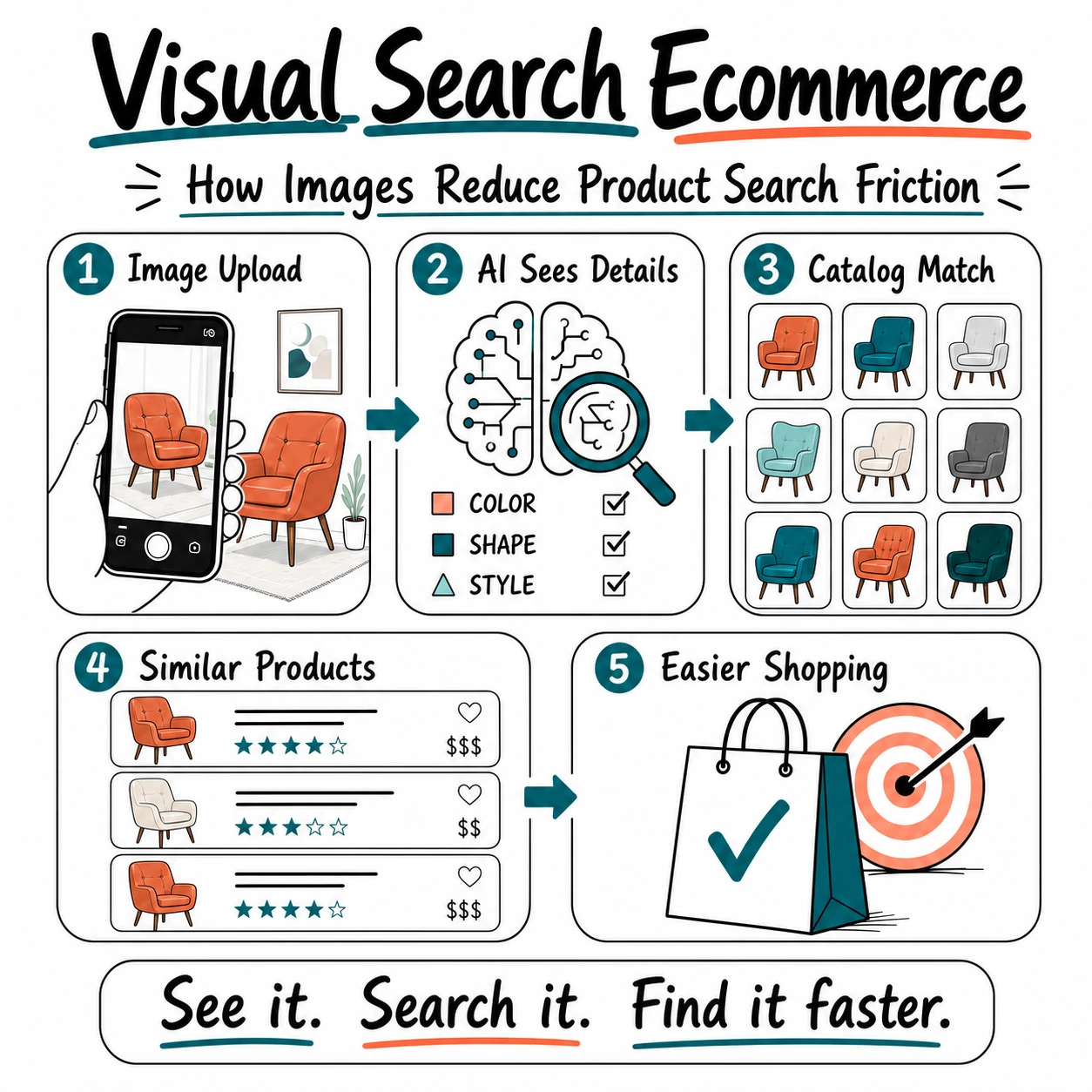
Online shoppers often know what they want before they know how to describe it.
They may see a pair of sneakers in a social media post, a chair in a home décor photo, or a handbag in a video, then try to find the same item online. The problem is that traditional ecommerce search depends heavily on keywords. If shoppers do not know the brand, product name, material, style, or even the right category, their search can quickly lead to irrelevant results.
This is product search friction: the gap between seeing a product and being able to find it in an online store. It creates unnecessary effort for shoppers and can lead to shorter browsing sessions, fewer product-page visits, and lost sales.
AI visual shopping helps reduce that friction by allowing customers to search with an image, screenshot, or camera photo instead of relying only on text. The system can analyze visual details such as color, shape, pattern, and style, then show products that are similar or relevant to what the shopper is looking for.
In this guide, we’ll explain how visual search helps ecommerce stores make product discovery faster and easier, where it creates the most value, and what businesses should consider before adding it to their shopping experience.
Quick Overview: How Visual Search Reduces Product Search Friction
Visual search gives shoppers another way to find products when keywords are not enough. Instead of trying to describe an item precisely, a customer can use an image, screenshot, or camera photo to begin the search. The table below shows the main ways visual search can make ecommerce product discovery easier.
| Visual Search Capability | How It Helps Shoppers | Potential Ecommerce Benefit |
|---|---|---|
| Image upload | Lets customers search with a photo or screenshot instead of guessing the right keywords. | Helps shoppers reach relevant product pages faster. |
| Recognition of visual attributes | Can identify details such as color, shape, pattern, style, or product type. | Improves product discovery in large or visually driven catalogs. |
| Similar product results | Shows useful alternatives when the exact item is unavailable, outside the shopper’s budget, or not offered in the right size. | Reduces the chance of losing a shopper because one product is not a fit. |
| Mobile camera search | Allows shoppers to search for items they see in the real world while they are using their phone. | Creates a faster, more natural mobile shopping experience. |
| Visually related recommendations | Helps customers discover matching products, complementary items, or complete looks. | Can support cross-selling and increase the value of an order. |
Quick takeaway: Visual search reduces product search friction by allowing shoppers to use what they can see, rather than forcing them to translate a product image into the exact words an ecommerce search engine expects.
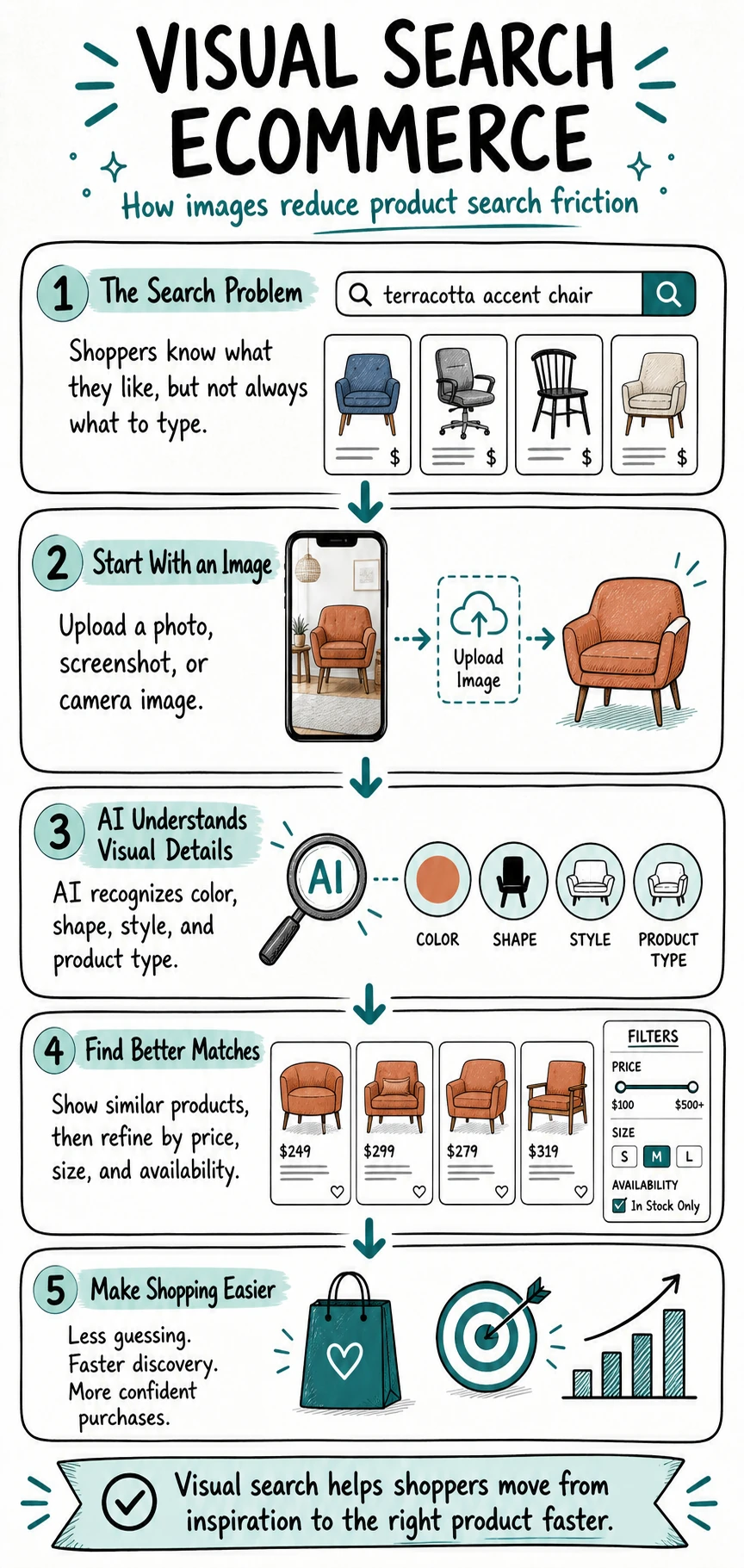
What Is Product Search Friction in Ecommerce?
Product search friction is any obstacle that makes it harder for a shopper to find the product they want. In ecommerce, this friction often begins when a customer has a clear idea in mind but cannot turn that idea into the exact keywords a search engine needs.
For example, a shopper may search for “beige jacket from Instagram,” “lamp like the one in this photo,” or “black shoes with a thick sole.” These searches communicate intent, but they may not match the product titles, categories, tags, or attributes used in a store’s catalog. The customer then has to try new keywords, apply filters, open multiple product pages, and manually compare similar items.
Search friction can also happen when a catalog is large, product names are technical, filters are difficult to use, or the store returns too many broad results. On mobile devices, the problem can become even more frustrating because shoppers have less screen space and may be less willing to refine several searches before finding a useful result.
Baymard Institute’s ecommerce search UX research shows that many online stores still do not adequately support the different ways customers search for products. When search results feel irrelevant or customers reach a dead end, they are more likely to leave rather than continue looking.
Traditional AI search for ecommerce can improve the experience by understanding shopper intent, product attributes, and related terms. However, text-based search still depends on the customer being able to describe what they see. Visual search reduces another layer of friction by allowing shoppers to begin with an image instead of a keyword.
In simple terms, product search friction is not only a search-engine problem. It is a customer-experience problem. If shoppers cannot quickly move from “I like this” to “Here is the product I want,” an ecommerce store creates extra work at the exact moment when buying intent should be easiest to support.
What Is Visual Search for Ecommerce?
Visual search is a product-discovery feature that lets shoppers use an image as the starting point for a search. Instead of entering a text query, a customer can upload a photo, select a screenshot, paste an image URL, or use a mobile camera to look for products that are visually similar.
For an ecommerce store, visual search usually works by comparing the shopper’s image with the product images already available in the catalog. The system looks for visual signals such as product type, color, shape, texture, pattern, style, and other characteristics that can help identify relevant matches.
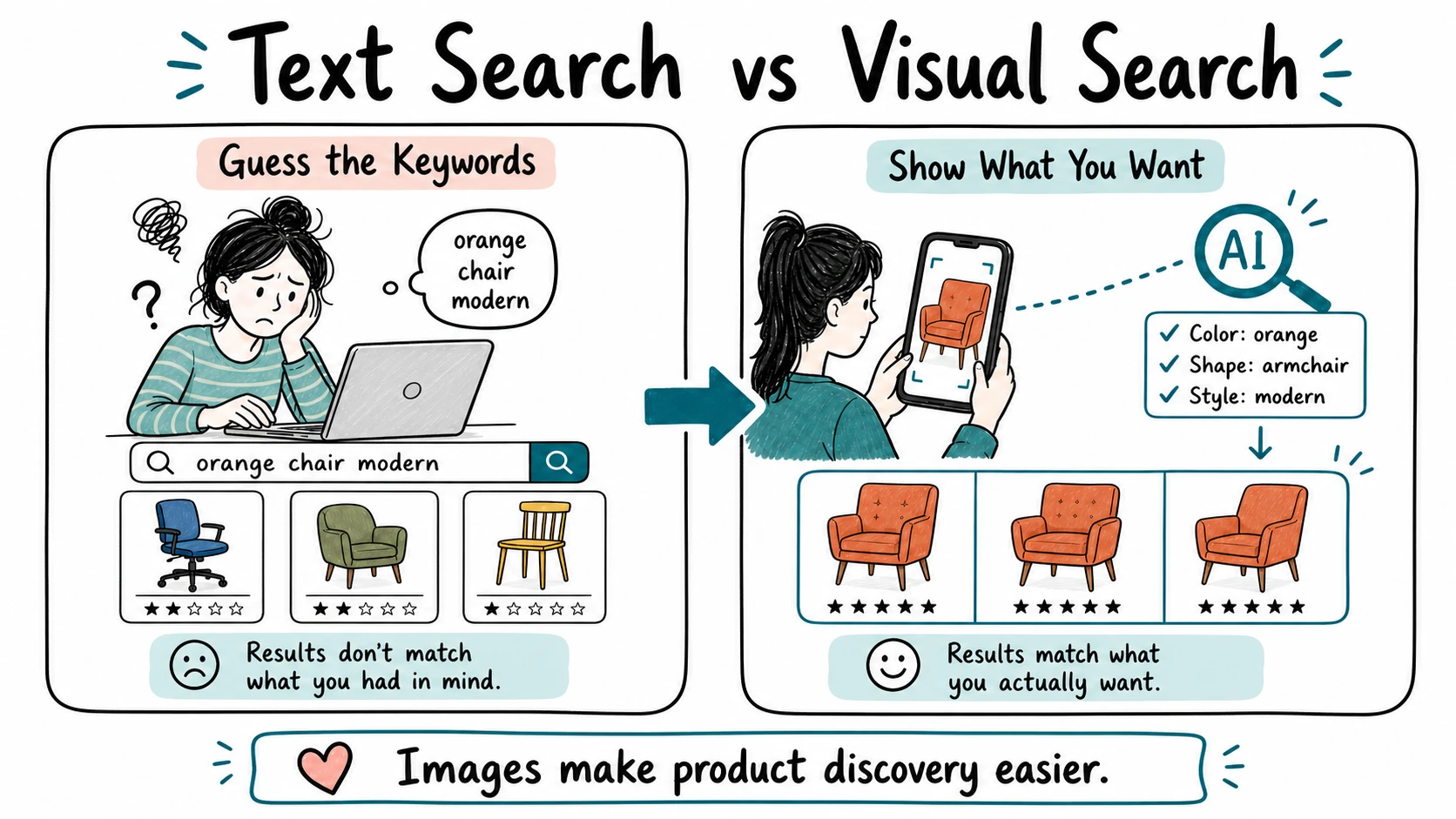
At a technical level, the feature relies on machine learning models that compare a query image with a retailer’s reference product images and return a ranked list of visually or semantically similar results. In practice, this means the quality of a visual-search experience depends heavily on the store’s product photography, product data, and inventory accuracy.
Visual search does not replace traditional keyword search, filters, or category navigation. Instead, it gives shoppers an additional option when text is not the easiest way to describe what they want. A customer may still filter the results by size, price, brand, availability, or delivery options after the system identifies visually relevant products.
It is also important to understand that visual search does not always find an exact match. A shopper may upload an image of a discontinued product, an item from another retailer, or something that is not available in the store’s catalog. In those situations, the most useful experience is to show close alternatives that match the shopper’s likely intent.
For a broader introduction to the technology and its role in online shopping, see our guide: What Is AI Visual Search for Shopping and How Does It Work?
How Visual Search Helps Shoppers Find Products Faster
Visual search reduces the amount of work required to move from product inspiration to a relevant result. It is especially useful when shoppers can recognize what they want but do not have the language, product knowledge, or patience to describe it precisely.
Shoppers Do Not Need the Exact Product Name
Traditional ecommerce search works best when customers already know what to type. A shopper searching for a specific model, brand, or product category can often reach a useful result quickly. But many purchase journeys do not begin that way.
Someone may know they want a “small green shoulder bag,” but not know whether the store calls it a baguette bag, hobo bag, mini tote, crossbody bag, or something else. The same problem can happen with furniture styles, beauty products, accessories, shoes, and home décor.
With visual search, the shopper can use an image that already communicates the product’s appearance. This gives the ecommerce store more context than a short text query and reduces the need for the customer to keep trying different phrases.
It Makes Inspiration Easier to Turn Into a Purchase
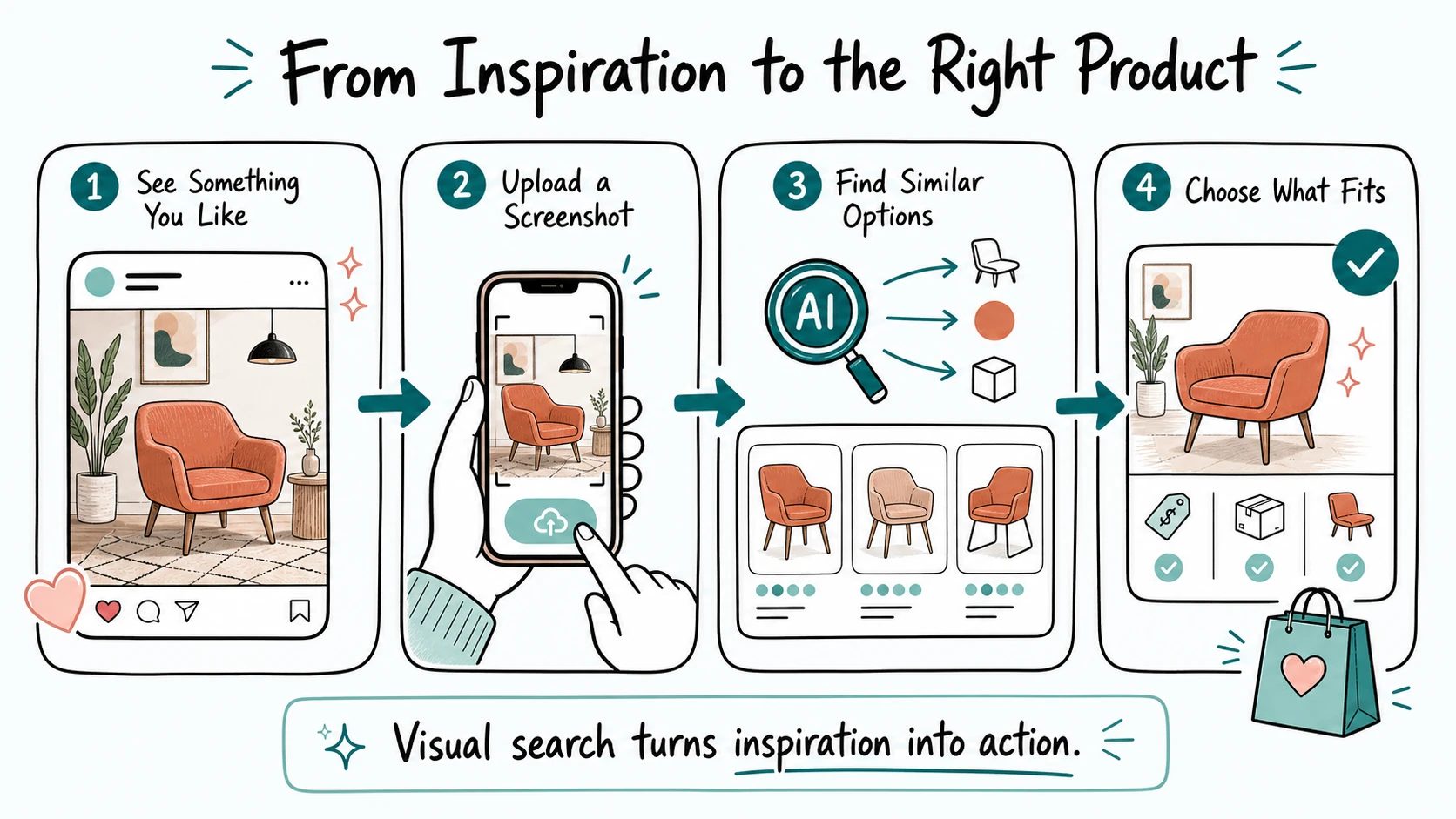
Shoppers discover products everywhere: social media posts, videos, online magazines, creator content, television shows, storefront displays, and photos shared by friends. In many cases, the product image creates interest before the shopper has any useful product details.
Visual search makes it easier to act on that interest. A customer can take a screenshot of a look they like, upload a photo of a room, or use a mobile camera to begin looking for similar products in a store’s catalog.
This creates a shorter path between “I like this” and “Show me something I can buy.” Rather than expecting customers to leave the site, search the web, return later, and hope they can find a match, the store can keep product discovery closer to the shopping journey.
It Improves Results for Style-Driven Products
Visual details matter most in categories where appearance is a major part of the buying decision. Fashion shoppers may care about a silhouette, fabric texture, color combination, pattern, or overall style. Home décor shoppers may focus on a shape, finish, material, or design era. Beauty customers may look for a particular shade, finish, or makeup look.
These qualities can be difficult to capture with a few keywords. A search for “modern lamp” or “summer dress” may return a wide range of products that technically match the words but do not match the customer’s visual preference.
Visual search can narrow the starting point by prioritizing products with similar visual characteristics. Shoppers can then use filters and product details to decide whether an item also fits their budget, size, needs, and delivery expectations.
It Helps Customers Discover Useful Alternatives
An exact product match is not always possible. The item in a shopper’s image may be out of stock, sold by another retailer, discontinued, or unavailable in the customer’s preferred size or price range. A useful visual-search experience should not treat this as a failed search.
Instead, it can show visually similar alternatives that are currently available. For example, a store could recommend a similar jacket in the same color family, a comparable chair with a related shape, or a lower-priced alternative with a similar overall style.
This can help shoppers continue their journey instead of starting again from zero. The goal is not to present random substitutes, but to offer options that preserve the visual intent that made the customer search in the first place.
Where Visual Search Creates the Most Value
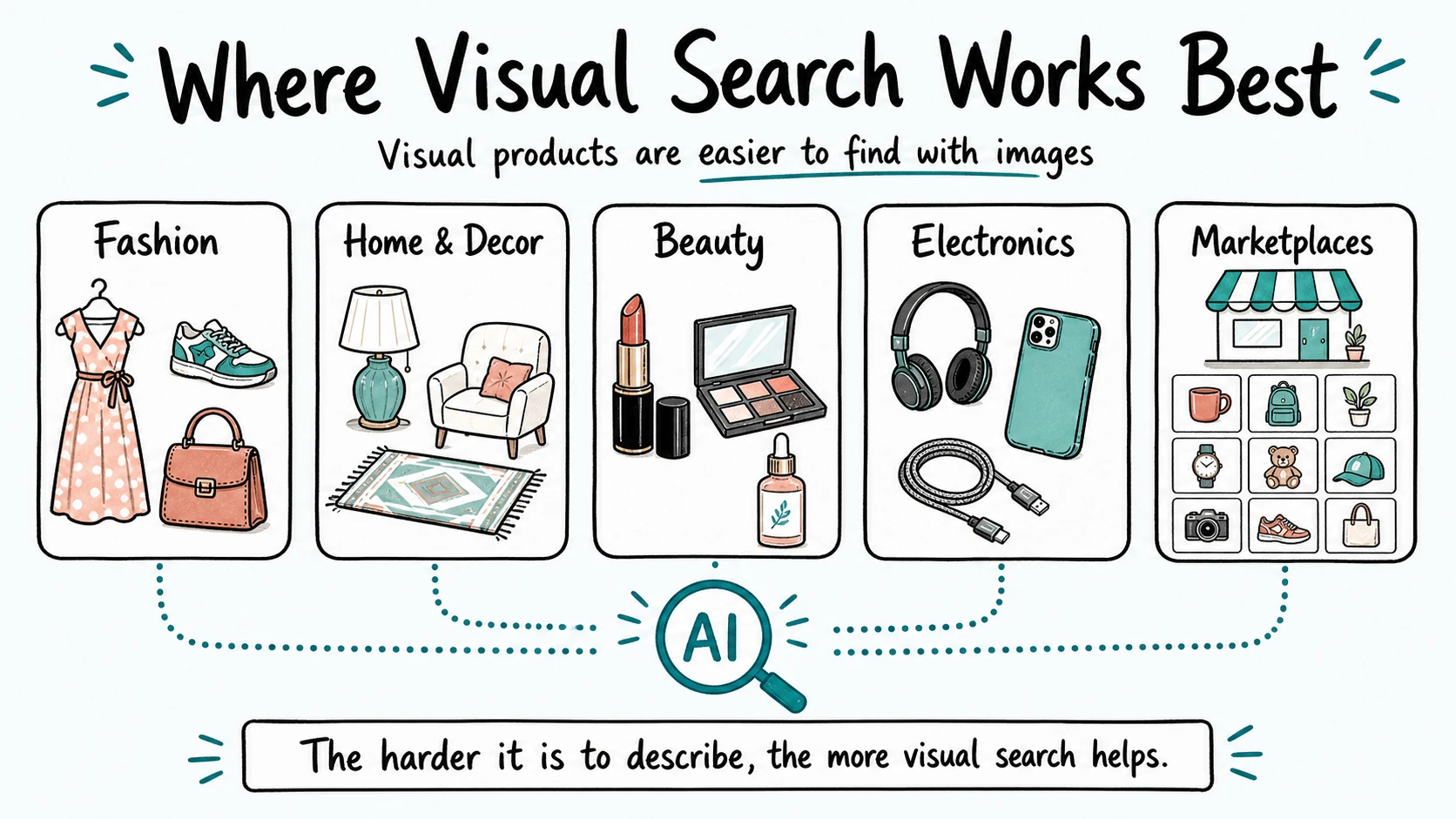
Visual search can support almost any ecommerce catalog, but it creates the most value when a product’s appearance strongly influences the buying decision. The more difficult it is for shoppers to describe an item with keywords alone, the more useful image-based discovery can become.
Fashion and Apparel
Fashion is one of the strongest use cases for visual search because shoppers often begin with a look rather than a specific product name. They may want a similar dress, jacket, pair of sneakers, handbag, or outfit they saw in a photo, but they may not know the brand, category, or style terminology needed to search for it.
Visual search can help shoppers find similar colors, silhouettes, patterns, fabrics, and styles. It can also help stores suggest matching accessories, alternatives in a different price range, or similar products that are currently available in the shopper’s size.
Furniture and Home Décor
Home and furniture shoppers frequently search for items that match a particular room, style, finish, or inspiration image. A customer may see a sofa, lamp, rug, chair, or wall decoration they like but struggle to describe its shape, material, or design style accurately.
Image-based search can make discovery easier by returning visually related products from the store’s catalog. This is particularly useful for shoppers who want to create a cohesive look across multiple items instead of buying one product in isolation.
Beauty and Cosmetics
Visual search can also support beauty shopping, especially when customers are searching for a color, finish, packaging style, or makeup look. A shopper may see a lipstick shade, nail design, eye makeup style, or skincare product in an image and want to explore similar options.
However, beauty stores should not rely on visual similarity alone. Product pages still need clear information about ingredients, shades, skin concerns, application, and suitability. Visual search can help customers discover options, while product details help them make an informed final decision.
Electronics and Accessories
In electronics, visual search can help shoppers identify product types, accessories, replacement parts, cases, cables, and related devices. For example, a customer may upload a photo of a charger, camera accessory, or phone case to find something that looks similar.
Because visual similarity does not guarantee technical compatibility, stores should combine image-based results with clear specifications, model numbers, dimensions, and compatibility filters. This helps prevent shoppers from choosing an item that looks correct but does not work with their device.
Marketplaces and Large-Catalog Stores
Large ecommerce catalogs can be difficult to browse even when a store has categories and filters. Shoppers may not know where to start, especially when a marketplace includes thousands of products across many brands and styles.
Visual search gives those shoppers a more direct entry point. Instead of navigating several categories or refining multiple keyword searches, they can begin with a single image and browse a smaller set of visually relevant results. For marketplaces, this can make a large catalog feel easier to explore without removing the shopper’s ability to filter, compare, and research products.
How Visual Search Can Improve Ecommerce Results
Visual search can improve ecommerce performance when it makes product discovery easier for shoppers. Its value does not come from adding a new feature for its own sake. It comes from reducing the time, uncertainty, and effort required to find a product that feels relevant.
One of the clearest benefits is better product discovery. When shoppers can start with an image instead of a vague text query, they may reach relevant product pages faster. This can be particularly useful for customers who are browsing for inspiration, comparing styles, or trying to find an item they saw somewhere else.
Visual search can also increase the number of useful product-page visits. A customer who receives a smaller set of visually related results is more likely to explore individual products than someone who is faced with hundreds of broad keyword results. Once on a product page, shoppers can review the details that matter before buying, such as price, size, availability, shipping, reviews, and return information.
For stores with frequent stock changes, image-based search can help preserve customer intent even when an exact match is unavailable. Rather than returning a dead end, the store can show alternatives with a similar color, style, shape, or overall appearance. This gives the shopper a reason to continue browsing instead of leaving to start a new search elsewhere.
Visual search can also create opportunities for relevant AI product recommendations. After a shopper finds a visually similar item, the store may suggest matching accessories, complementary products, similar styles, or alternatives at different price points. These suggestions should remain helpful and connected to the shopper’s intent, not simply add more products to the page.
On mobile, visual search may make product discovery feel more natural because customers can use photos and screenshots already saved on their devices. A simple camera or image-upload option can be easier than typing a detailed query on a small screen, especially when the shopper is searching from a photo they have just taken.
However, visual search is not a guaranteed conversion tool. It cannot solve poor product images, missing inventory data, slow page speed, confusing pricing, or a difficult checkout process. The strongest results come when visual search supports an already solid shopping experience: clear product information, accurate availability, useful filters, and straightforward paths to purchase.
Best Practices for Adding Visual Search to an Ecommerce Store
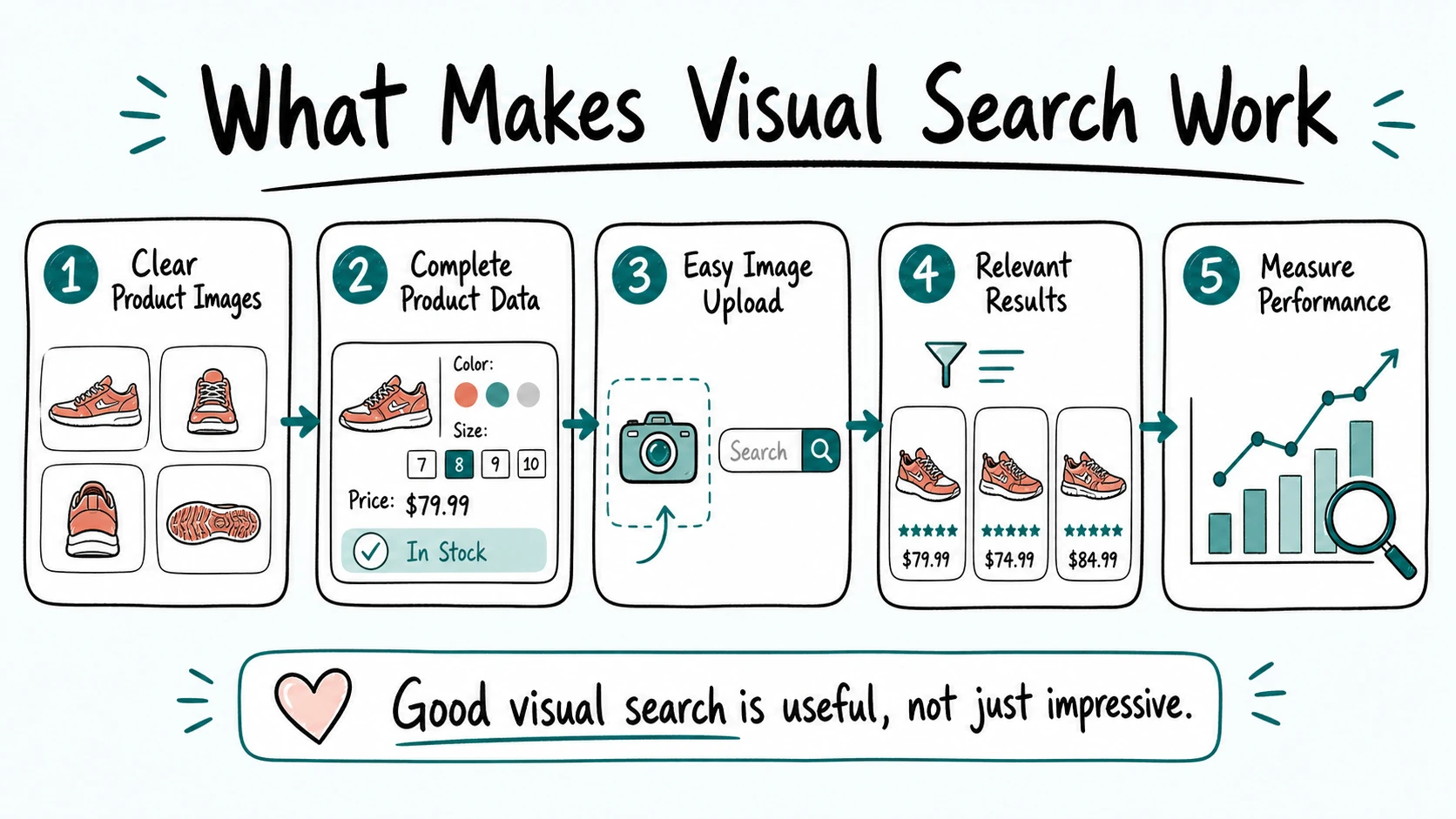
Visual search works best when it is treated as part of the overall product-discovery experience. A camera icon alone is not enough. The store also needs reliable product images, complete catalog data, relevant results, and a simple way for shoppers to continue their journey after an image search.
Start With High-Quality Product Images
Product images are the foundation of visual search. The system needs clear reference images to understand what each item looks like and to compare it with the shopper’s query image.
Use multiple product photos when possible, including different angles, close-up details, color variations, and context images where they genuinely help. Images should accurately represent the product’s shape, material, texture, and color. Inconsistent lighting, unclear backgrounds, or heavily edited images can make it more difficult to return useful matches.
Keep Product Data Complete and Accurate
Visual similarity is only one part of a useful result. After a system identifies products that look relevant, shoppers still need accurate information about price, size, availability, brand, material, dimensions, compatibility, and delivery options.
Complete product data also helps the store refine visually similar results. For example, a shopper may upload an image of a chair but only want options within a specific budget, color range, or size. The store should let customers use filters to narrow the results without forcing them to start a new search.
Make the Feature Easy to Find
Place the visual-search option close to the main search bar, where shoppers already expect to begin product discovery. A small camera or image-upload icon can work well, but it should be clear enough that customers understand its purpose.
On mobile, the option should support both image uploads and camera photos. A short label such as “Search by image” can remove uncertainty and encourage first-time users to try the feature. If shoppers cannot find or understand the tool, even a strong visual-search system will have limited impact.
Show Useful Results, Not Just Similar Images
A good visual-search result should feel like a shopping result, not an image gallery. Each product should include a clear image, product name, price, availability, and a direct path to the product page. Relevant filters, sorting options, and category suggestions can help shoppers refine the results further.
When an exact match is not available, show alternatives that preserve the customer’s likely intent. That may mean similar styles, colors, shapes, or product types. Avoid filling results with loosely related products simply to avoid showing an empty page. A smaller set of relevant alternatives is usually more helpful than a large, unfocused list.
Choose a Solution That Fits the Store’s Needs
Some businesses build visual search with a custom technical stack, while others use specialized ecommerce product-discovery platforms. The right choice depends on the catalog size, ecommerce platform, product category, budget, available development resources, and the level of control the store needs.
Examples of platforms that offer visual-search and product-discovery capabilities include Syte and ViSenze. Before choosing a provider, stores should review how the tool integrates with their catalog, how it handles product data and inventory updates, which devices it supports, and what reporting is available.
Measure Whether the Feature Is Actually Helping
Visual search should be evaluated with real shopper behavior, not only by whether it is technically available. Useful metrics can include image-search usage, product-result click-through rate, add-to-cart rate, conversion rate, zero-result rate, and revenue generated from sessions that used visual search.
These measurements can reveal whether shoppers are finding better products, where results need improvement, and whether the feature is creating value for the store. Continuous testing matters because product catalogs, inventory, customer behavior, and visual trends can all change over time.
Common Visual Search Mistakes to Avoid
Visual search can improve product discovery, but only when the experience is relevant, reliable, and easy to use. The following mistakes can reduce its value and create more friction instead of removing it.
- Using poor or inconsistent product images.
If catalog photos are dark, heavily edited, low-resolution, or inconsistent across products, the system may struggle to identify useful visual similarities. Clear, accurate, and consistent product photography should come first. - Returning products that look similar but do not match shopper intent.
An item can be visually close while still being the wrong size, product type, price range, material, or use case. Visual results should work alongside product data, filters, and availability information. - Ignoring stock status and product availability.
Showing unavailable products as the main results can frustrate shoppers. When an exact match is out of stock, the store should prioritize available alternatives and make their differences clear. - Hiding visual search where shoppers cannot find it.
A feature that is difficult to discover will not be used. Place the camera or image-upload option close to the main search bar and make sure it works well on mobile devices. - Treating visual search as a novelty.
Visual search should connect naturally with search results, product pages, filters, recommendations, and checkout journeys. It should solve a real product-discovery problem rather than exist as an isolated feature. - Overpromising accuracy.
Visual search may return close alternatives rather than exact matches, especially when the uploaded image is unclear or the product is not in the store’s catalog. Clear expectations help prevent disappointing results. - Overlooking privacy and image-handling policies.
Shoppers may upload personal photos, screenshots, or images that include more than the product they want to find. Stores should explain how uploaded images are handled and protect customer data appropriately. For a broader look at this topic, read our guide on AI shopping safety and data privacy.
The best visual-search experiences are accurate enough to be useful, transparent about their limits, and supported by the same product information shoppers need to make a confident purchase.
Is Visual Search Right for Every Ecommerce Store?
Visual search is not essential for every ecommerce business, but it can be highly valuable when customers often choose products based on appearance. The strongest fit is usually a store with a visual catalog, a large number of similar products, or shoppers who regularly arrive with inspiration images rather than precise product names.
Fashion, furniture, home décor, beauty, jewelry, accessories, and marketplaces are natural examples. In these categories, shoppers often care about style, color, shape, texture, pattern, or overall design. An image can communicate those preferences more clearly than a short keyword search.
Smaller stores can also benefit if customers frequently ask questions such as “Do you have something like this?” or share screenshots before purchasing. A visual-search feature may help these stores make product discovery easier without requiring customers to learn the exact names used in the catalog.
For highly technical products, visual search should be used as a supporting feature rather than the only search method. Electronics, replacement parts, industrial products, health-related items, and compatibility-based accessories often require specifications that an image alone cannot confirm. In these cases, shoppers still need clear model numbers, technical details, dimensions, compatibility filters, and product guidance.
Before investing in visual search, store owners should consider a few practical questions:
- Do customers frequently search for products based on appearance or inspiration?
- Does the catalog have enough high-quality product images?
- Are product attributes, stock information, and filters accurate?
- Would visually similar alternatives help when an exact item is unavailable?
- Can the store measure whether image-based search improves product discovery?
If the answer to several of these questions is yes, visual search may be a worthwhile addition to the store’s product-discovery strategy. It should be evaluated alongside other AI tools for ecommerce, with the goal of making shopping easier rather than adding technology that customers do not need.
The Future of Visual Search in Ecommerce
Visual search is likely to become a more connected part of ecommerce product discovery. Instead of existing as a separate image-upload feature, it will increasingly work alongside text search, product recommendations, filters, conversational interfaces, and personalized shopping journeys.
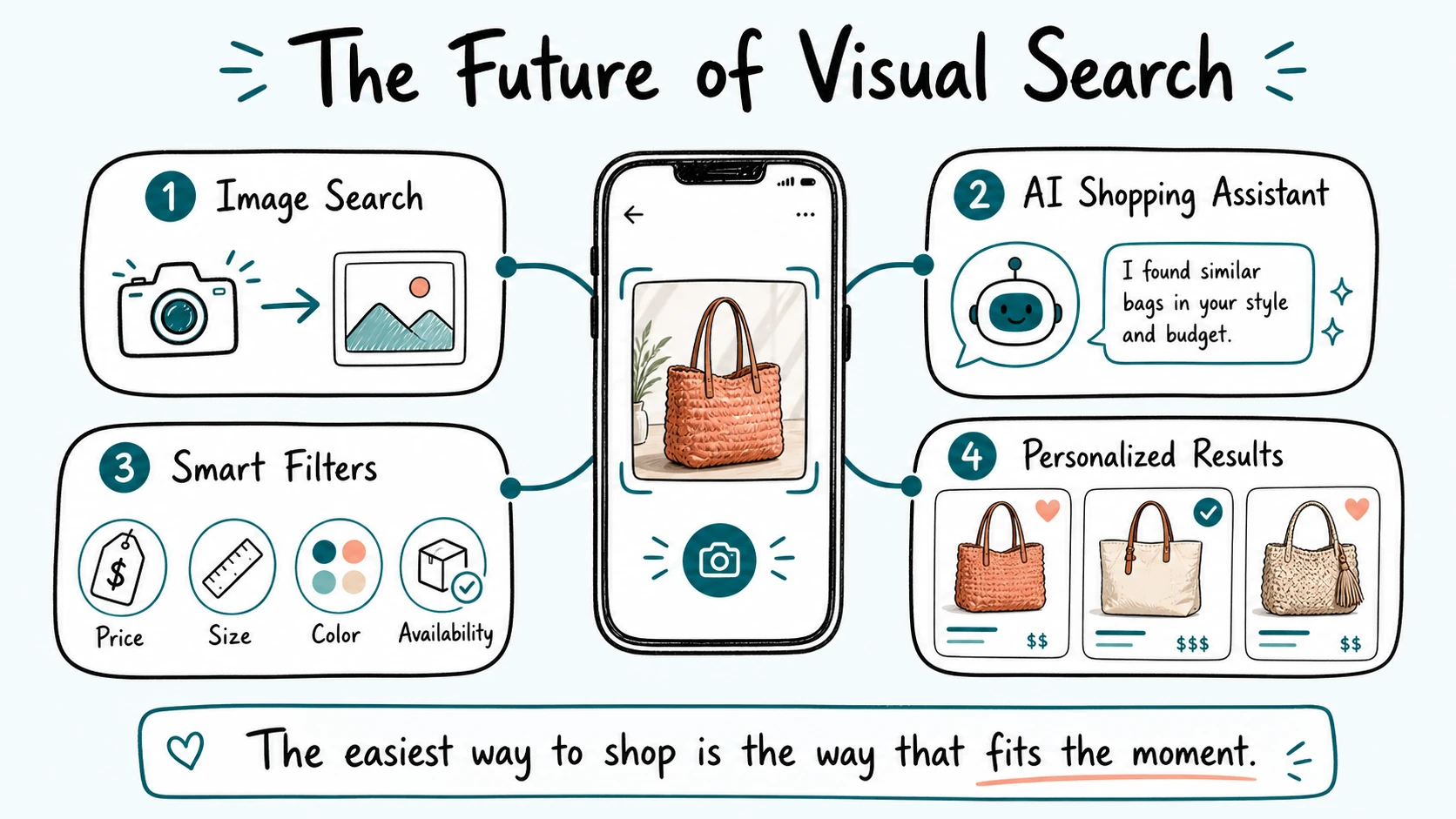
For shoppers, this could mean moving more naturally between different ways of searching. A customer may begin with a screenshot, add a few words to explain what they want, filter by price or size, and then ask for alternatives that better match their needs. The goal is not to force every customer into one search method, but to let them use the format that feels easiest in the moment.
Visual search may also become more useful through better product data and more accurate catalog understanding. When ecommerce systems can connect images with details such as color, material, style, category, stock status, price, and compatibility, they can return results that are both visually relevant and practical to buy.
Another important direction is the connection between visual discovery and AI shopping assistants. An assistant can help shoppers move beyond “find something similar” by answering follow-up questions, comparing options, explaining product differences, and recommending products that fit a shopper’s preferences or budget.
For ecommerce businesses, the opportunity is not simply to add more AI features. It is to remove unnecessary effort from the shopping journey. Visual search will be most valuable when it helps customers discover relevant products quickly, understand their options clearly, and feel confident about the purchase they are about to make.
Stores that invest in accurate product data, strong images, useful filters, and transparent AI experiences will be better positioned to make visual product discovery genuinely helpful as shopper expectations continue to evolve.
Frequently Asked Questions
What is visual search in ecommerce?
Visual search is an ecommerce feature that lets shoppers use an image, screenshot, or camera photo to find visually similar products. Instead of relying only on keywords, the system analyzes the image and returns relevant items from the store’s catalog.
How does visual search reduce product search friction?
Visual search reduces friction by helping shoppers find products when they do not know the exact product name, category, brand, or search terms. It gives customers a way to begin with what they can see rather than forcing them to describe an item perfectly with text.
Which ecommerce businesses benefit most from visual search?
Visual search is especially useful for fashion, furniture, home décor, beauty, jewelry, accessories, and large marketplaces. These businesses often sell products where appearance, style, color, shape, or pattern strongly influences the buying decision.
Can visual search improve ecommerce conversions?
It can support conversions by helping shoppers reach more relevant products faster, explore alternatives when an item is unavailable, and continue browsing instead of abandoning a difficult search. However, results depend on product images, catalog data, availability, pricing, page speed, and the overall shopping experience.
Does visual search replace keyword search?
No. Visual search works best as an additional product-discovery option. Keyword search, filters, categories, and product details remain important because shoppers may need to refine results by size, price, brand, material, compatibility, availability, or delivery preferences.
What does an ecommerce store need before adding visual search?
A store should have high-quality product images, accurate catalog data, reliable stock information, clear product pages, and useful filters. It should also choose a solution that integrates with the ecommerce platform and measure whether shoppers are using image-based search to discover, compare, and buy products more easily.
Conclusion
Visual search helps ecommerce stores reduce product search friction by giving shoppers a simpler way to express what they want. Instead of depending only on perfect keywords, customers can use images, screenshots, and camera photos to find products that match their visual preferences.
The strongest visual-search experiences combine high-quality product images with accurate catalog data, useful filters, current availability, and relevant alternatives. When these elements work together, shoppers can move more easily from inspiration to product discovery and from discovery to a confident buying decision.
Visual search is not a replacement for clear product information, reliable search, or a smooth checkout process. It is an additional tool that can make shopping feel more natural, especially for stores with visual products, large catalogs, or customers who often arrive with an image rather than a product name.
For more practical guides on how artificial intelligence is changing online shopping, explore AI Shopping Assistant.